The Strategy
Site Migration
The client joined the agency needing help with their site migration; moving from an out of date system to a newly designed custom theme in Kinsta.
This is because if not executed correctly, site migrations (the process of making substantial technical or UX based changes to your website), can significantly impact a site’s SEO performance.
In order to ensure a smooth migration, we executed the following strategy:
Preparation
- Prepare an SEO specification of the existing site by conducting a full website crawl
- Backing up the existing site and setting up a staging site
- Analysis of the existing site’s keyword performance and identifying priority pages
- Create a map of all existing URLs
- Analysis of the site’s backlink profile
- Mapping the existing URLs to the new website’s URL structure
- Reviewing SEO tags (page titles, headings, meta descriptions etc) to ensure that they are optimised for the target keywords
- Create a 301 redirect map
- Identifying any potential crawl or indexation issues (related to the robots.txt and xml sitemap files).
Migration
- Start to migrate your content in batches to make it easy to identify any problems
- Implement 301 redirects from the old URLs to the new URLs
- Update internal links so that they point to the correct URLs on the new website
- Remove any temporary website blocks
- Ensure the new pages are being crawled and indexed correctly
Post-Migration
- Monitor traffic and keyword rankings incase of any drops
- Monitor crawlability and indexability of the new website on Google Analytics and Google Search Console
- Prepare performance reports on mobile friendliness, page performance (site speed and core web vitals) etc.
- Providing SEO recommendations for further optimisation on core pages
By following the above steps, we ensured that the client’s migration ran as smoothly as possible and that the new domain would continue to see growth.
Establishing E-E-A-T
E-E-A-T stands for Experience-Expertise-Authoritativeness-Trustworthiness.
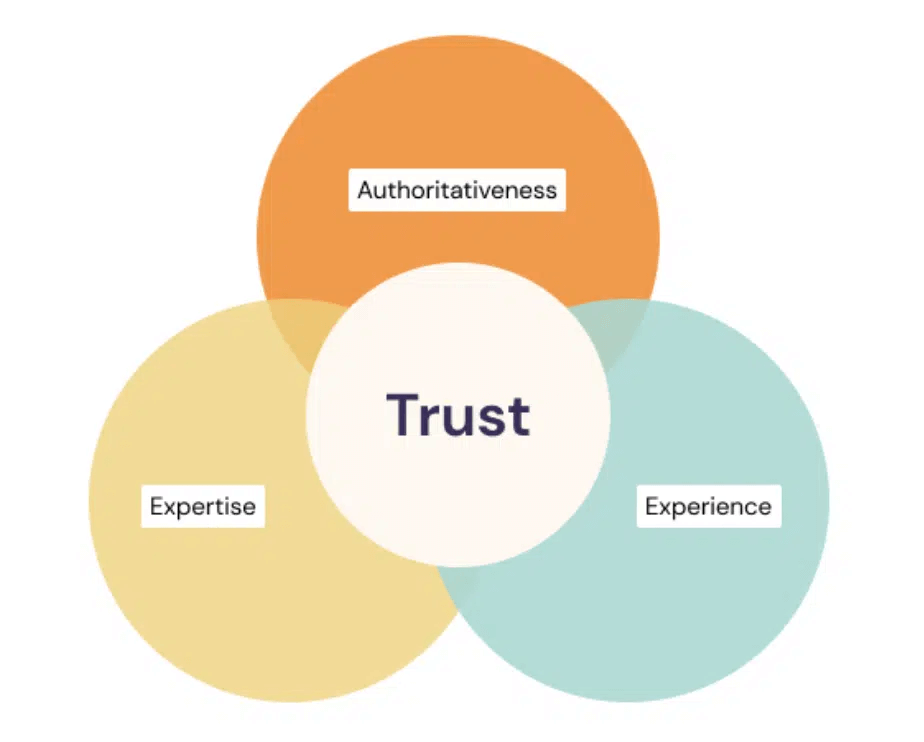
These are four characteristics that Google asks its human raters to look out for when evaluating the quality of content.
- Experience refers to demonstrating the author’s first-hand experience in a topic or industry.
- Expertise refers to the level of knowledge and skills that the author or website demonstrates in a particular field or topic.
- Authoritativeness pertains to the reputation and influence of the author or website within the industry or community.
- Trustworthiness relates to the overall reliability and accuracy of the content presented, including the sources and citations used, as well as the website’s security and privacy policies.
While E-E-A-T is not part of Google’s ranking algorithms (because it’s difficult for computers to quantify how trustworthy or authoritative a piece of content is), it provides an insight into the search engine’s goal of providing searchers with results that contain relevant and credible information.
Here are three tips on how to improve the E-E-A-T signals on your website:
- Make It Clear Who Wrote the Content – readers want to know that the information that they’re reading is coming from a credible source, and Google wants to present users with results from reliable websites. Therefore, adding information about the author’s experience and expertise to blog posts via an author bio is a great way to signal this.
Here’s an example of a great author bio which outlines the author’s full name, their experience and also includes links to their social media accounts.

- Add Your Contact Information – Google asks its search quality raters to look for contact and customer service information as a trust signal. Add a clickable telephone number and/or email address to your Contact page as well as your footer to make it easy for your users to reach you.
This is especially important for eCommerce websites who may have to deal with order cancellations, refunds etc.
- Show That Your Content Is Up to Date – providing content that is up to date is a clear signal to Google and your readers that your website is a credible source of information. This is especially true for websites reviewing products or providing content that requires regular updates such as best practices for SEO, or medical advice.
Here are some signals that can help show your content is up to date:
- Add a last modified date to your article in addition to the publication date
- Optimise your page title (and headings) by addings signals such as the year or month i.e. Best Smartphones of 2023
- If you’re making lots of substantial changes, add an update log at the start or end of your post to show how the article has changed over time.
Find out more about Google’s E-E-A-T here.
Product Page Optimisation
The product pages on the client’s site lacked well optimised content that compelled users to click through and place an order. Adding product descriptions that are informative and useful for your prospective customers is crucial in making sure that you’re turning the organic visitors into paying customers.
When writing your production descriptions, you should ensure that they:
- Are Written With the End Customer In Mind – understanding what your customer wants and needs is the first step in writing the perfect product description. Think about the level of expertise and awareness of your customer – are you catering towards experts or beginners?
- Highlight the Key Features & Benefits – explain to your customers what the main features of your products are and provide details on why your product will benefit them.
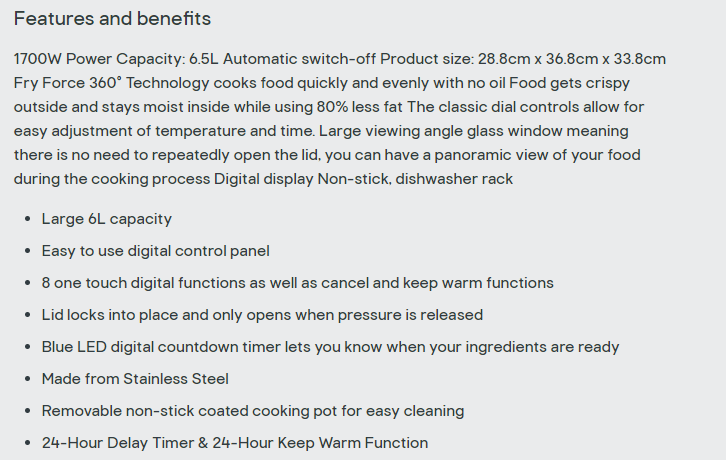
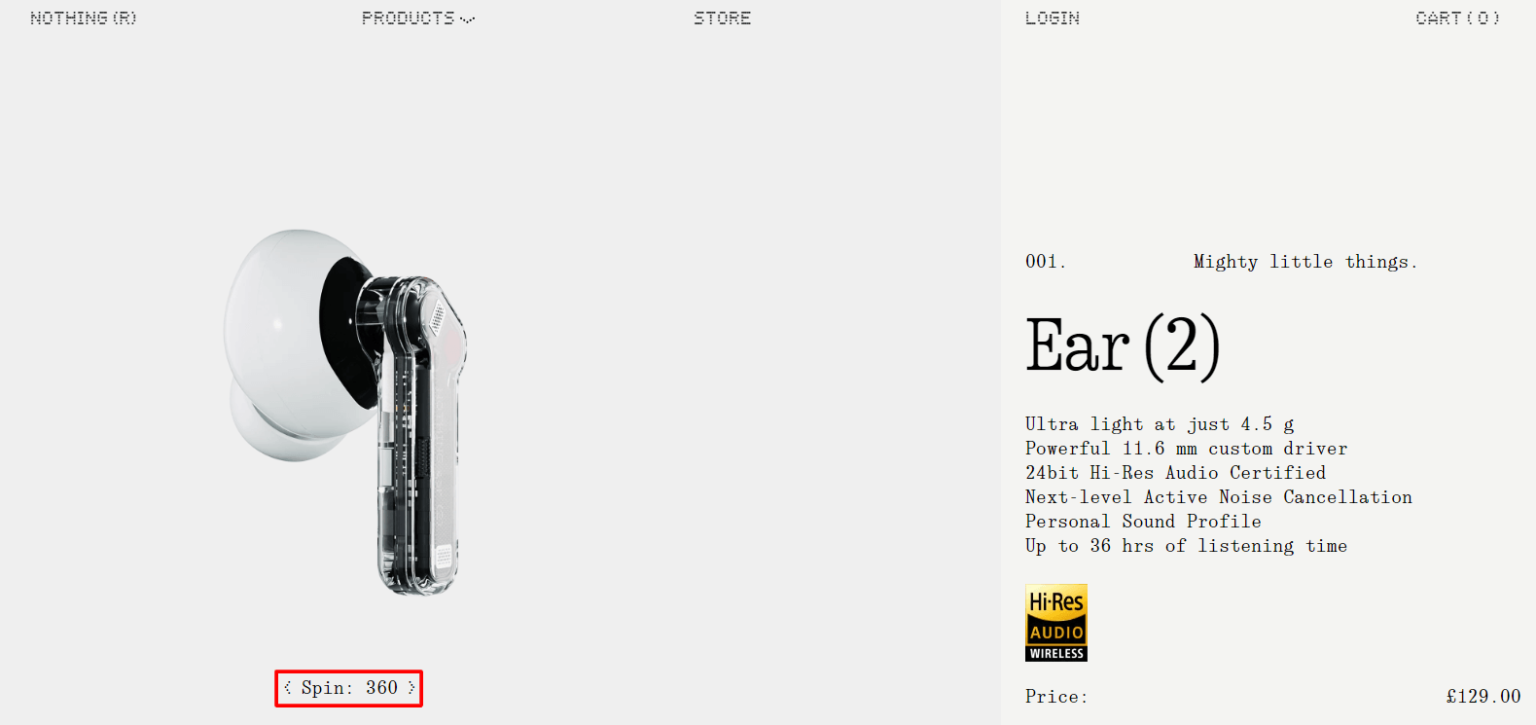
- Include High Quality Images (and Videos) – users can’t physically interact with or examine your products, it’s essential to include high-quality images and videos of your products in action. Taking unique photos from multiple angles can showcase the product in its entirety while emphasising its key features.
In the example below, the earphone manufacturer has gone the extra mile by allowing the customer to view their product from all 360° angles.
- Are Easy to Read – essential product details should be easily distinguishable so that users can determine whether the product is suitable for their needs or not.
Find out more about how to write product descriptions that sell here.
Building Topical Authority
In addition to establishing the new domain as an authority within the niche by adding E-E-A-T signals, we also need to make sure that the content published on the site also showed that the client’s site was the go to source of information for health supplements.
That’s what building topical authority is about.
Websites that produce informative content that cover a wide range of topics within their niche are considered to have topical authority.
In order to build topical authority for our client, we reverse-engineered their competition to identify informational topics related to the supplements that they sold, as well as other subtopics that were of relevance. Over the course of the campaign, we published this supplementary content on the client’s blog which also contained internal links to the core product and collection pages.
Link-Building Strategy
An effective strategy for building backlinks is blogger outreach, which involves finding topically relevant prospects who you can then reach out to for a link back to content that their audience will find useful.
Here’s how to do it…
- Finding New Link Prospects – You can do this by reverse engineering your competitors’ link profiles using Ahrefs’ Link Intersect tool. Paste your competitor’s domains into the Link intersect Tool (it lets you add up to 10 competitors), along with your own website at the bottom.
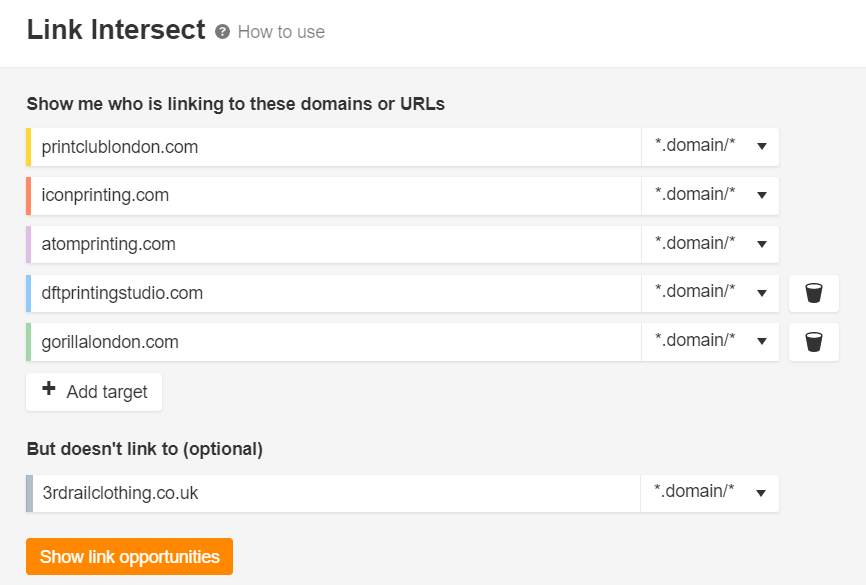
Click “Show link opportunities”.
Filter the data so that you can see link prospects that are linking to at least two of the competitors that you entered and click “Apply”.
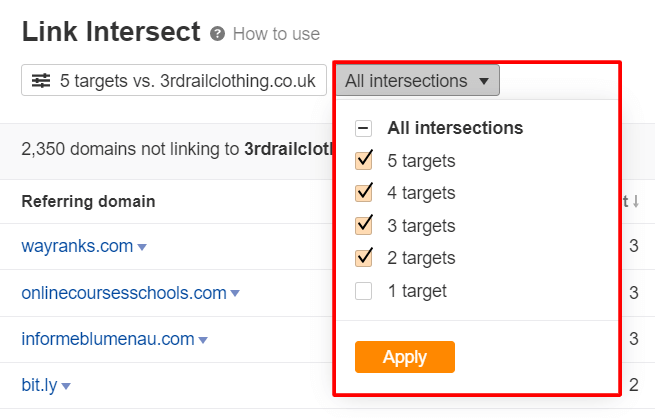
Doing this refines the data so that you see more relevant link prospects. You can then sort the results by DR (Domain Rating) so that you can start with the sites that have the most ranking power according to Ahrefs.
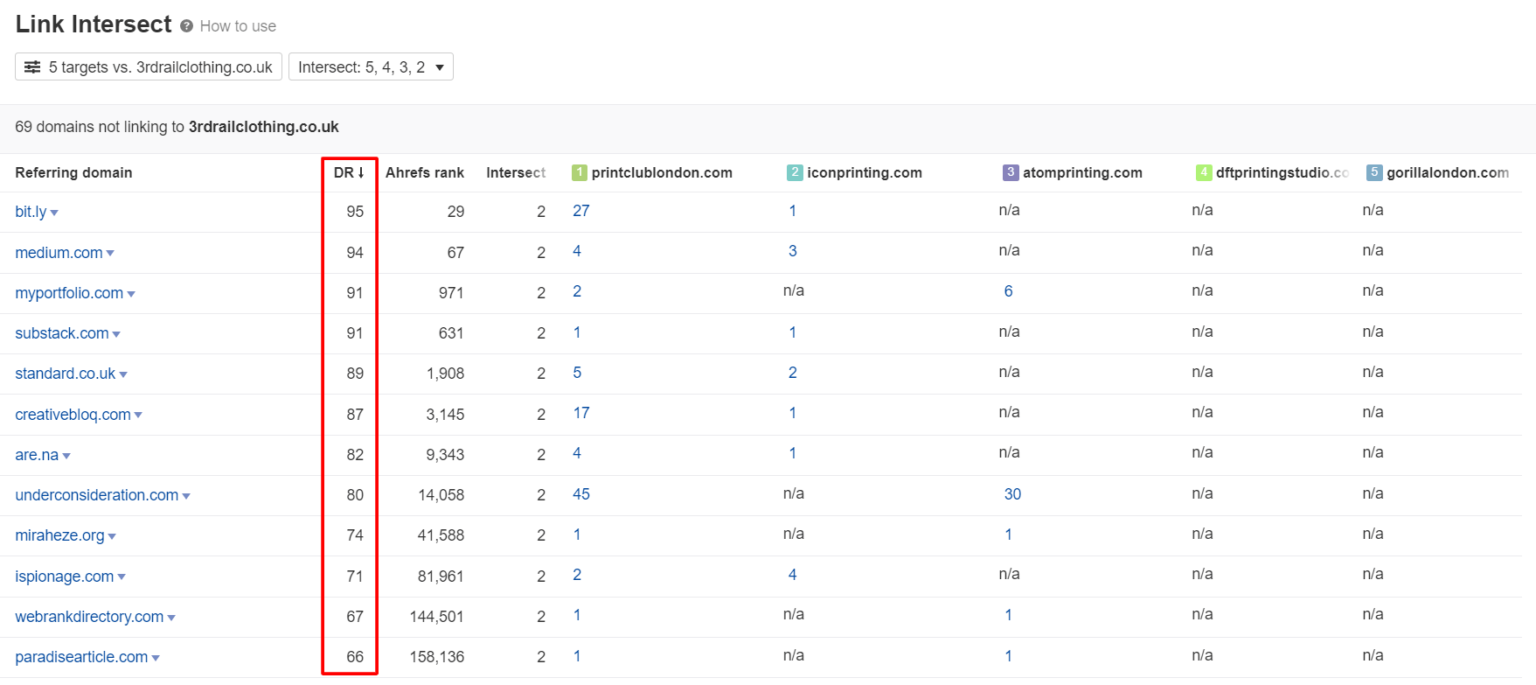
You now have a list of websites to reach out to.
- Get the Prospect’s Contact Information – If there isn’t already a contact form on the website, use a tool like Hunter.io which has a Google Chrome extension (allowing 25 searches per month for free if you sign up) that lets you access email addresses with just a few clicks.
- Writing Your Pitch – You need to make sure that your pitch is relevant to the prospective website that you want a backlink from. There’s nothing wrong with using a template (read on to see the one I like to use), but you need to make sure that for each email you send, you concisely explain:
- Who you are
- Why you’re contacting them
- What you have to offer
Clearly explaining why your linkable asset is beneficial to the prospect’s audience is the most important part of your pitch.
- Send the Emails & Monitor Your Progress – Remember to monitor the progress of your outreach campaign and identify any opportunities to optimise your pitches and the subject lines so that they yield the best conversions.
For example, one reason why you may not be getting any responses could be that your pitches are too long – in which case you need to make sure that you’re providing all the key pieces of information as clearly as possible.








![How to Sell GEO: The Agency Playbook [Webinar]](https://susodigital.com/wp-content/uploads/2026/10/Webinar-How-to-Sell-GEO-The-Agency-Playbook-920x920.webp)