The Strategy
Product Page Optimisation
Having large amounts of duplicate content without “adding any additional value” can significantly impact a site’s SEO performance. The product descriptions on the client’s site were taken directly from the manufacturer’s respective websites which meant that external duplicate content was an issue that needed to be addressed.
Over the course of the campaign, starting with the client’s highest performing products, we rewrote the product descriptions to ensure that they were unique and provided engaging copy to entice users to click through and make a purchase.
Apart from making sure that your product descriptions are unique, here are some additional tips on how to optimise your product pages:
- Write for Your Target Customer – identify who your target customer is as well as the key pain points that they will address by purchasing your product.
- Highlight the Benefits – make it clear why your product will benefit the user.
- Highlight the Core Features – in detail, explain what the main features or specifications of your products are. The more information you provide about your product, the more inclined users will be to buy.
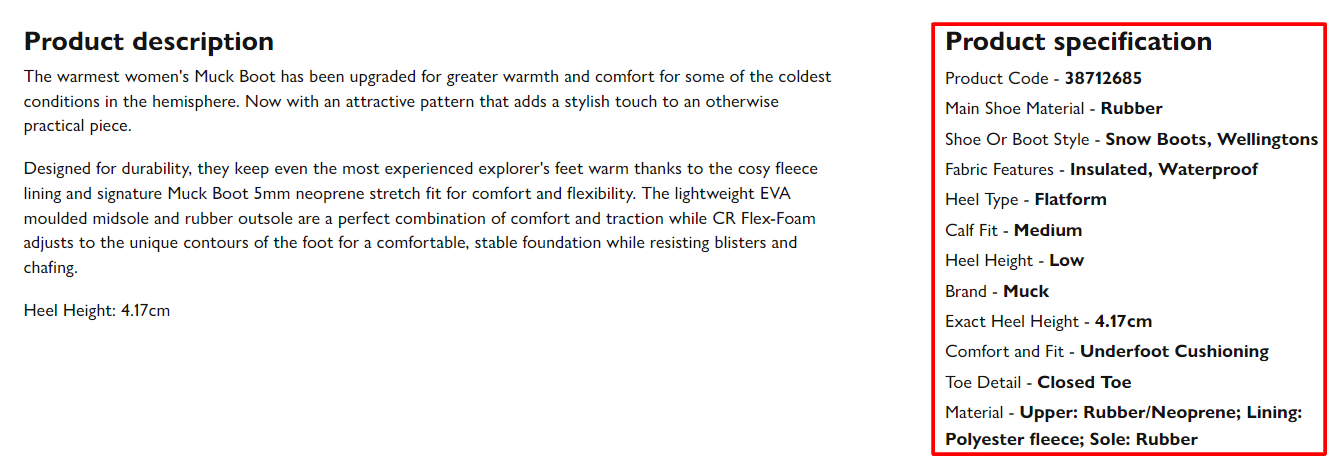
- Use High Quality Images (and Videos) – as users can’t physically touch or see your products, it’s vital that you add high quality images and videos of your products in use. Take unique photos from all angles to show the full product as well as to highlight the key features. For example, if you’re selling winter boots, you should include photos of the soles to show users that they have a strong grip.
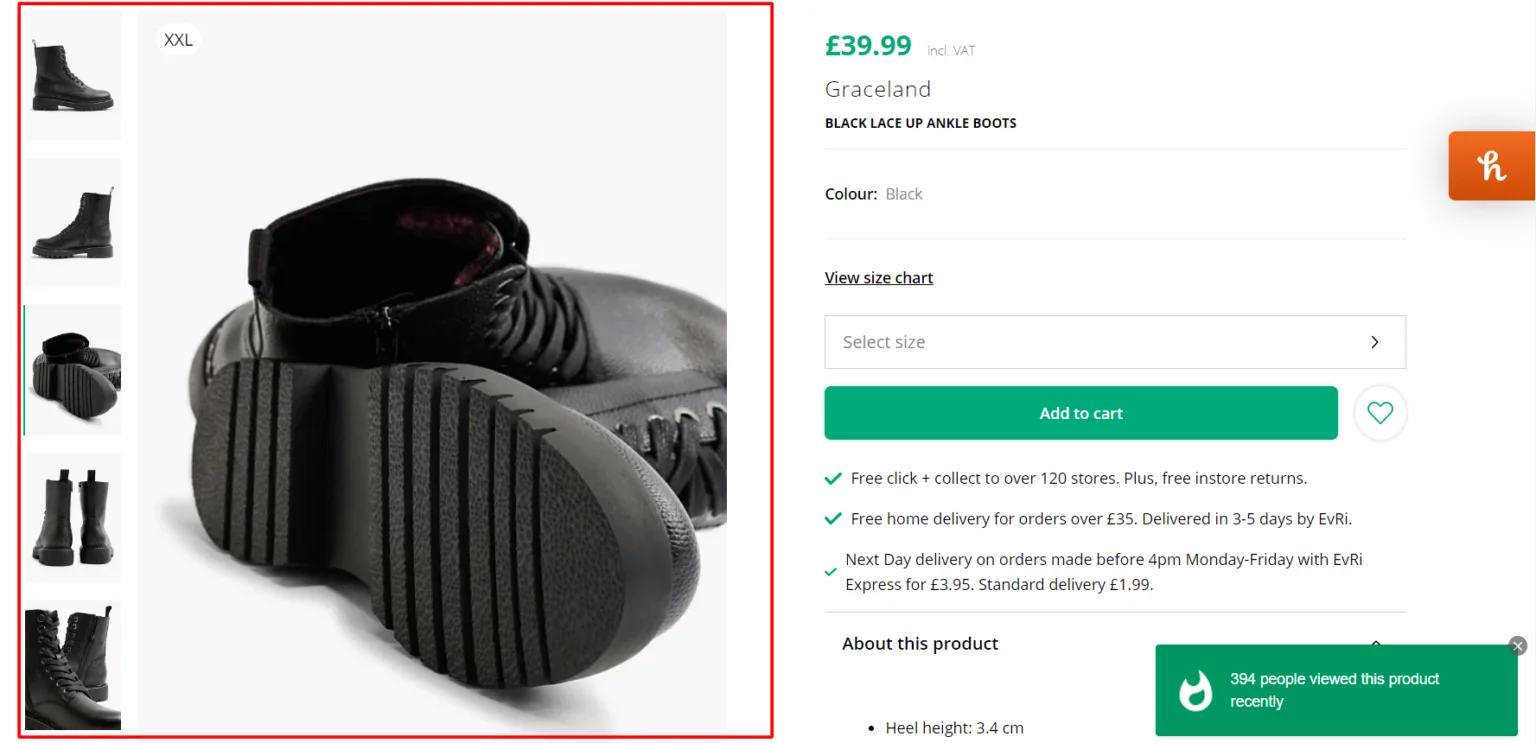
- Make It Scannable – Ensure that the key pieces of information about the product stand out so that users can quickly identify whether the product is right for them or not.
Find out more about how to write product descriptions that sell here.
Reorganising the Site Structure
A foundational part of any eCommerce SEO strategy is to organise your products into relevant categories and subcategories so that the pages are easily accessible for both users and Google’s crawlers. Many of the product pages on the client’s website were not categorised correctly with some pages not having a category associated with it at all.
Apart from hindering the crawlability of your site, having standalone product pages makes it more difficult for users to find them, and having products that aren’t correctly assigned to the right category can significantly impact the user’s experience as they’ll find products that are irrelevant to their search.
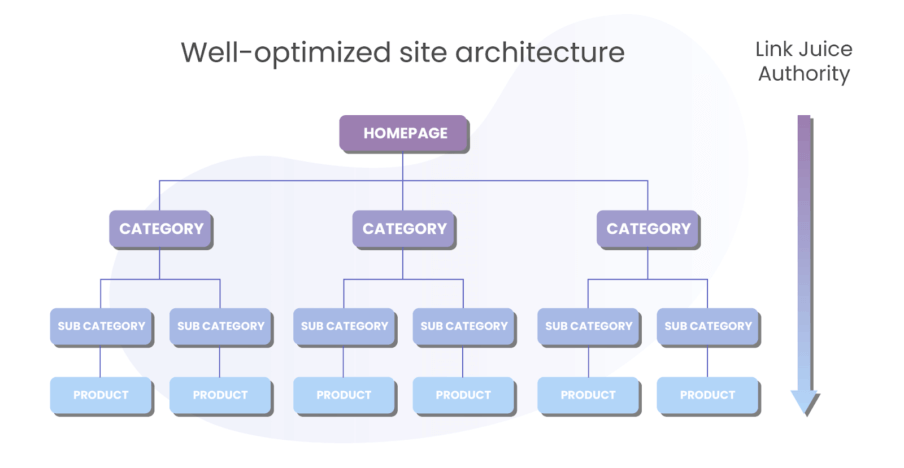
We restructured the website to ensure that all category and product pages were no more than three clicks away from the homepage.
Here’s an example of an ideal site structure for an eCommerce website:
We also made sure that the product and category pages had internal links to other relevant web pages. For example, we added a related products section to the client’s best selling products with internal links to underperforming, but relevant product pages. This helps users find similar items as well as helps Google understand the relationships between the various pages on the site.
Improving Core Web Vitals
Google announced Core Web Vitals in 2020 with the aim of better measuring page performance. CWV are made up of three metrics that measure the loading (Largest Contentful Paint), interactivity (First Input Delay), and the visual stability of a page (Cumulative Layout Shift).
- LCP measures how long it takes for the largest piece of content on a web page to load and should be no more than 2.5 seconds according to Google.
- FID measures how long it takes for the browser to respond to the user’s first interaction on a web page (i.e. clicking on a button). This should be 100 milliseconds or less
- CLS relates to any unexpected layout shifts on a web page, for example, this is when a “visible element changes its position from one rendered frame to the next”.
The client’s performance on Google’s Core Web Vitals needed to be improved so as to ensure that the user had the best experience possible. This involved making sure that we minimise the amount of internal redirects, optimised/compresses images and removed unnecessary CSS and JavaScript code from the site.
You can measure the performance of your CWV via the Pagespeed Insights tool.
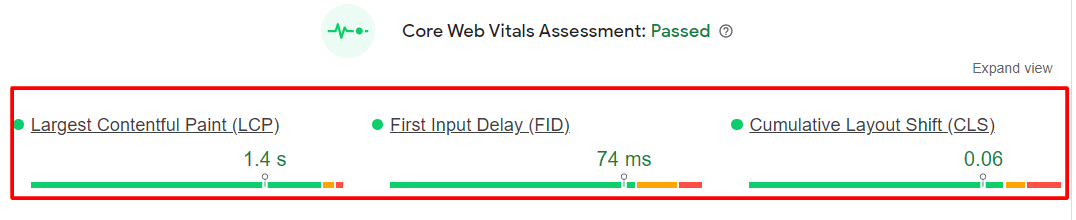
The tool also provides actionable advice on how to improve your score.
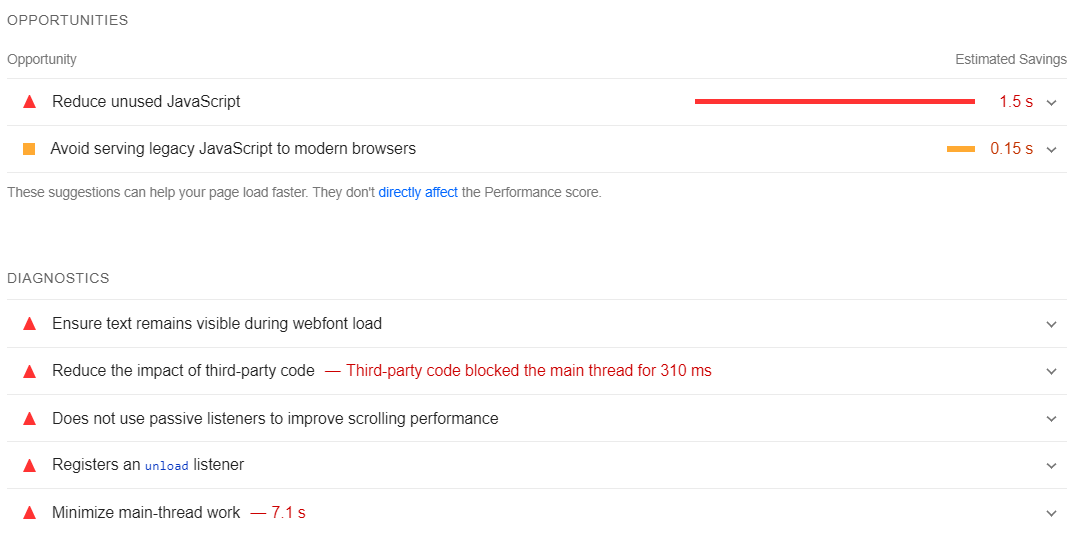
Keeping an eye on your CWV performance is important as it’s a factor that Google considers as part of its Page Experience update.








![How to Sell GEO: The Agency Playbook [Webinar]](https://susodigital.com/wp-content/uploads/2026/10/Webinar-How-to-Sell-GEO-The-Agency-Playbook-920x920.webp)