The Strategy
Optimising Category Pages With Helpful Content
To grow visibility for keywords with a commercial and transactional intent, we centred the strategy on optimising the existing category pages and creating new ones based on keyword research.
Category (or collection) pages are designed to systematically organise the products you sell or services you offer into coherent groups, simplifying the browsing process for visitors and helping them locate what they seek more efficiently.
These pages are useful for:
- Users to find the products that they are looking for
- Search engines to understand the relationship between pages and how they stand within your overall site structure
How to Optimise Category Pages
When optimising the content on any page, identify whether:
- You’re providing the user with content that is relevant to their search query
- That content is easy for them to find and understand
Here are some tips that can help you achieve this:
- Provide Valuable Content – over the past few years, Google’s Helpful Content algorithm updates have highlighted the importance of providing valuable content that is written for humans, not search engines. This means understanding what it is the user is trying to achieve from their search, and then providing them with the most relevant answer.
- Make This Content Easy to Find – place the most important content as prominently as possible so that users can quickly navigate through the page to find it. This means including relevant headings and subheadings to break up and prioritise content accordingly.
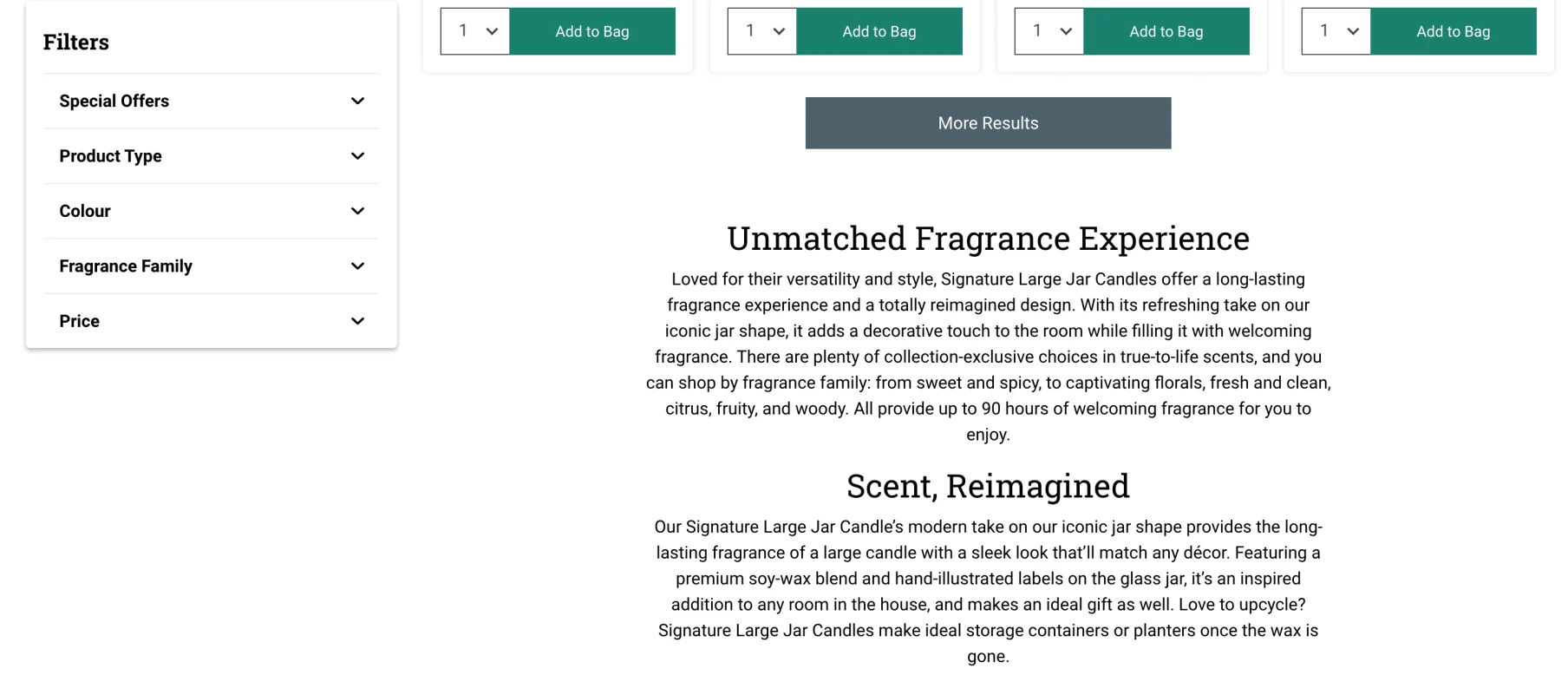
In the client’s case, we added a short description of the various products within the collection above the product listings – this helps clients quickly understand what kind of products they can expect to find on the page.
Adding supplementary content (i.e. FAQs) about the products at the bottom of the page also helps provide more value for users who may need more convincing.
- Use a Clear URL Structure – how you structure your categories is important as it makes it much easier for users and search engines to understand the relationships between various pages on a site.
For eCommerce websites, a good URL structure to follow is:
www.example.com/main-category/
www.example.com/main-category/sub-category/
www.example.com/main-category/sub–subcategory/
Here’s an example:
www.example.com/homewear/
www.example.com/homewear/bedding/
www.example.com/homewear/bedding/bedsheets/
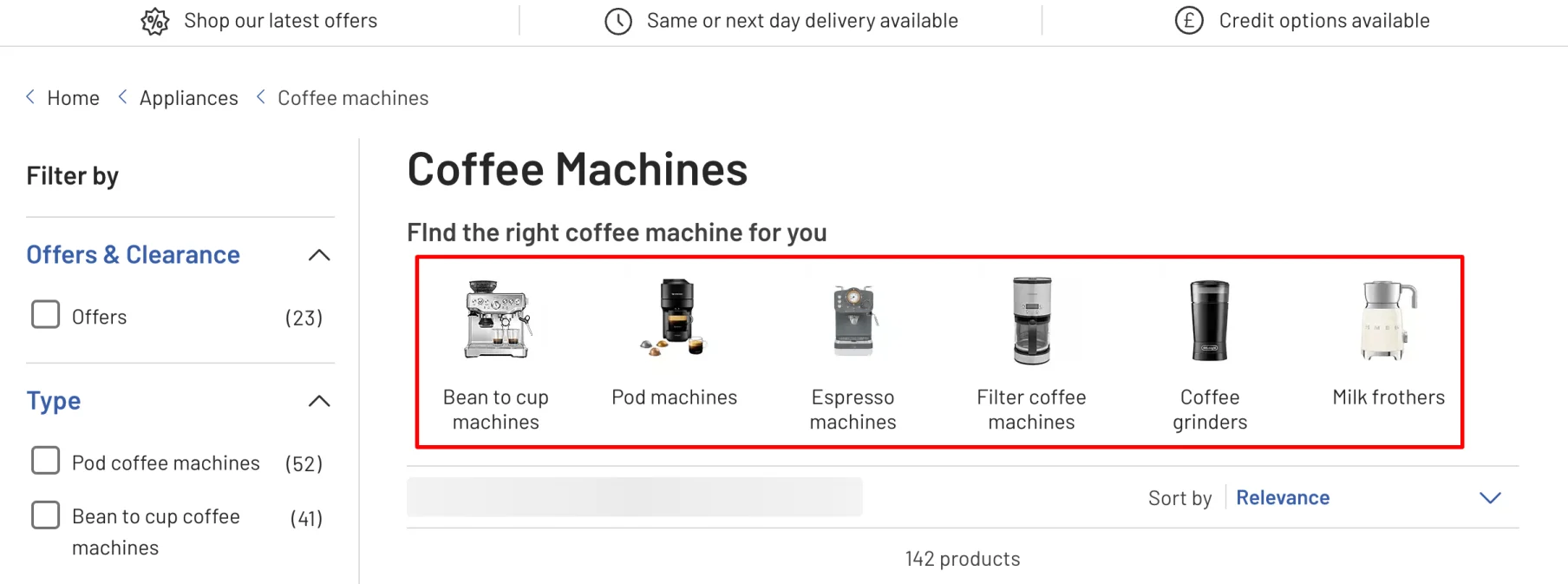
- Add Relevant Internal Links – adding links to other relevant pages (i.e. sub-categories) on your website helps improve navigation and allow users to find what they’re looking for. Here’s an example of how this can be achieved for an eCommerce category page:
- Optimise the Metadata – make sure that the page title, H1 heading and meta description are all optimised for the main keyword that you want to rank for.
Adding New Category Pages
During the keyword research, identify long-tail keywords to target that focus on more specific product categories. Thai is a great way to build your keyword visibility whilst also providing users with exactly what they’re looking for.
For example, if you spot that there’s enough demand for keywords like “dark blue roller blinds” instead of just “blue roller blinds”, then you may want to consider grouping together all products that match this query into its own category page.
Expanding the Blog to Target Bottom of the Funnel Users
Having optimised the category pages which target users at the top of the search funnel (i.e. those who are ready to buy), we also wanted to improve the site’s visibility for queries that capture users at the bottom of the search funnel.
This involves producing supplementary content on the blog to target informational search terms.
To do this, identify the key pain points and questions that prospective customers and users may have about the website.
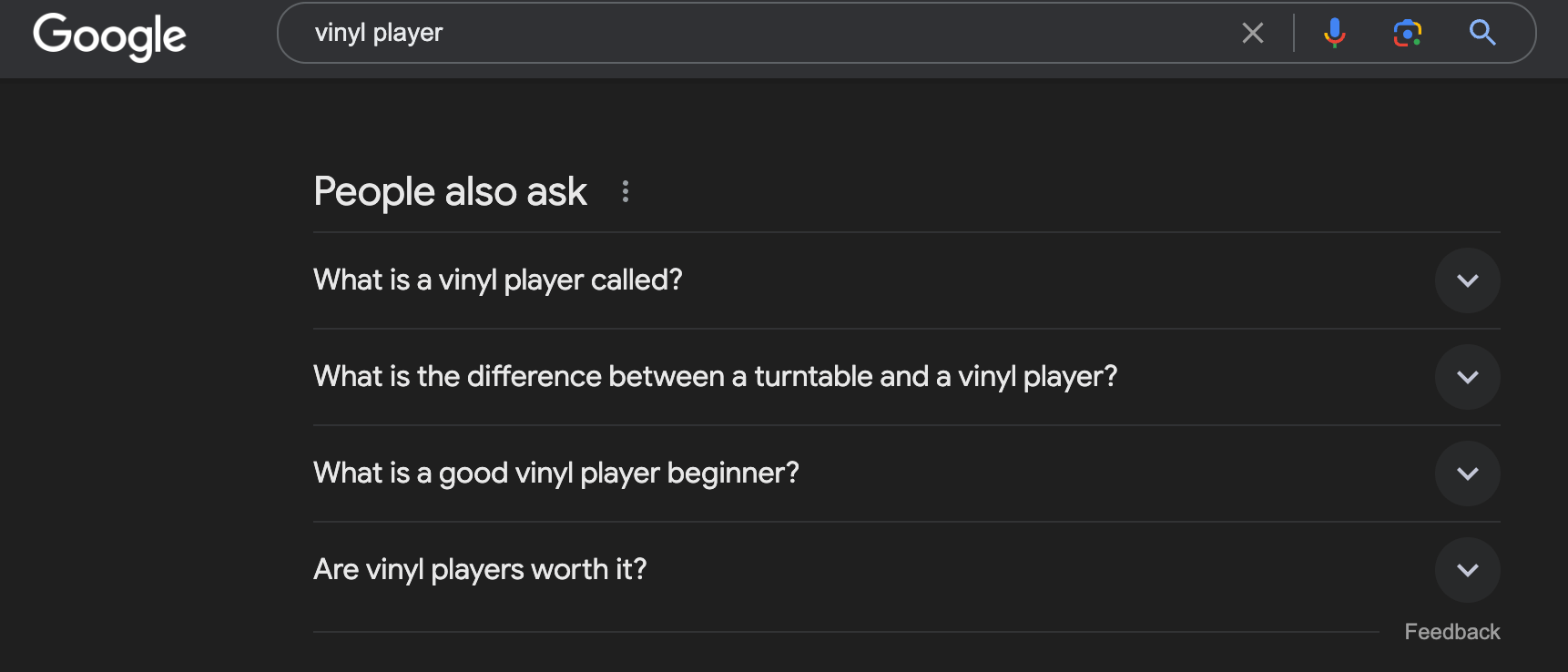
Use the People Also Ask and Related Searches features on Google Search by typing in a seed keyword that is related to your website and scroll down to the respective SERP features.
People Also Ask
Related Searches
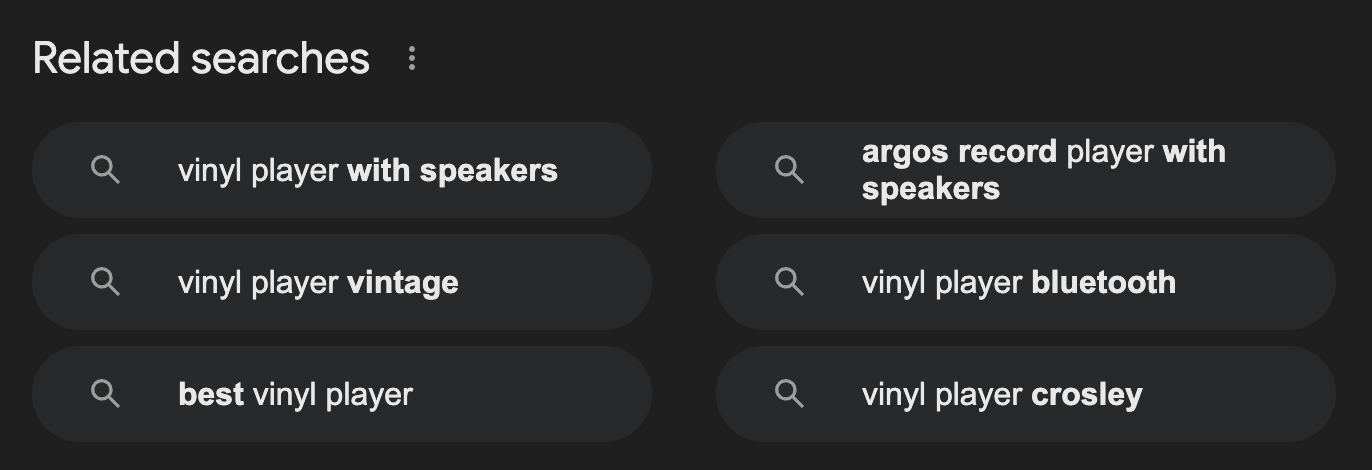
This can help provide potential topics that you can address within your blog. The key is to identify topics that users will find interesting and allow you to showcase your products by adding internal links within the blog posts to your category and product pages.
Improving the User Experience
Online users are accustomed to certain functionality and features when it comes to eCommerce websites. For example, an online store without a checkout or shopping cart is unheard of. Apart from obvious features like these, there are additional steps that you can take to provide a better experience for your customers.
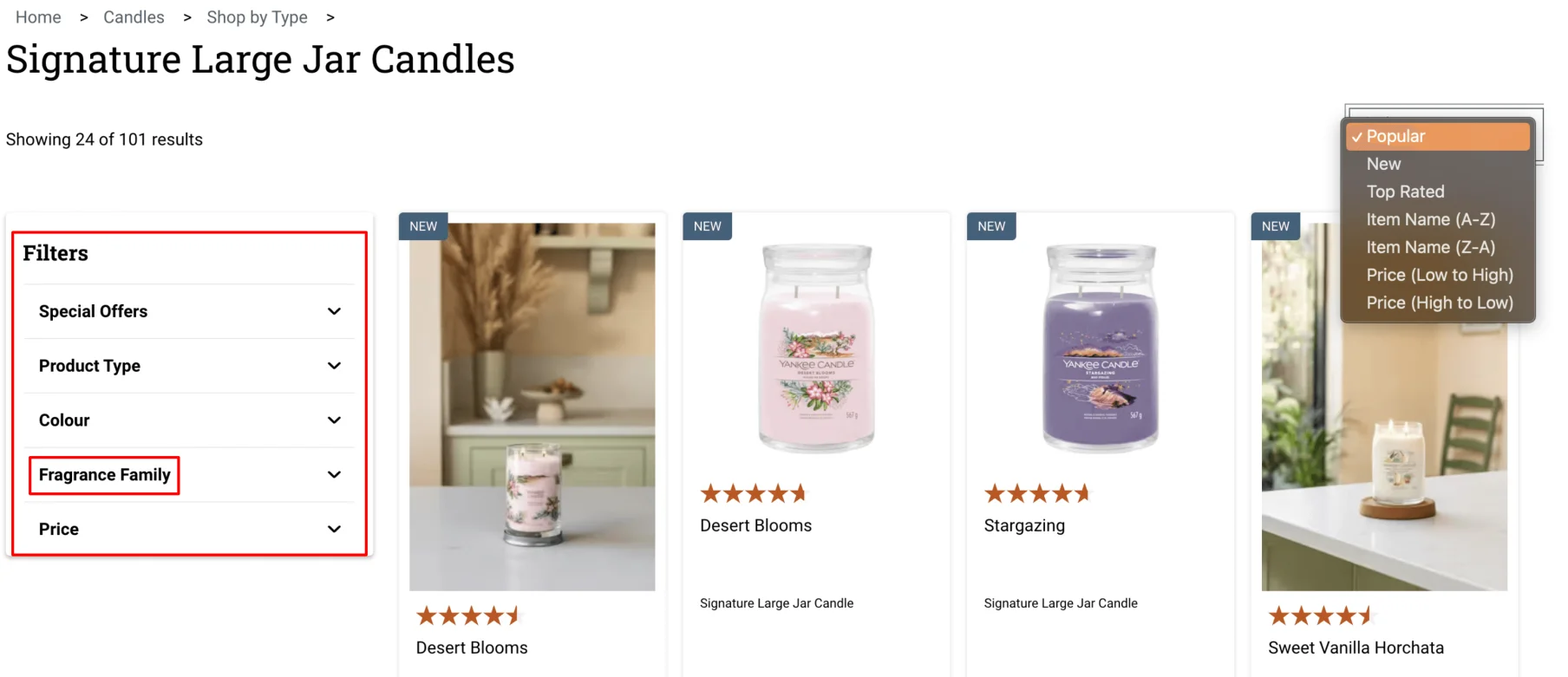
- Product Filtering – allow users to filter the products that you offer so that they can browse the most suitable products for them. For example, the website below offers users to filter by “Fragrance Family”, which is specific to their scented candle product range.
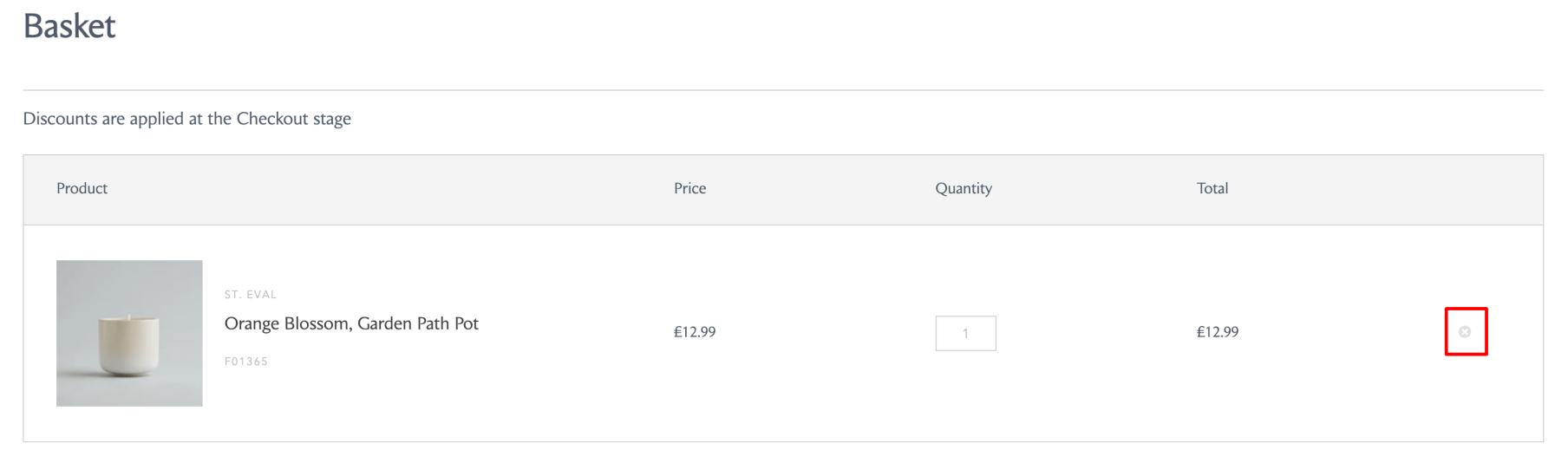
- Options to Easily Update the Cart – during the browsing process, users will tend to add products to the cart, but may decide otherwise when checking out. To offer a smooth experience, make it as easy as possible for prospective customers to increase and decrease the quantity of products.
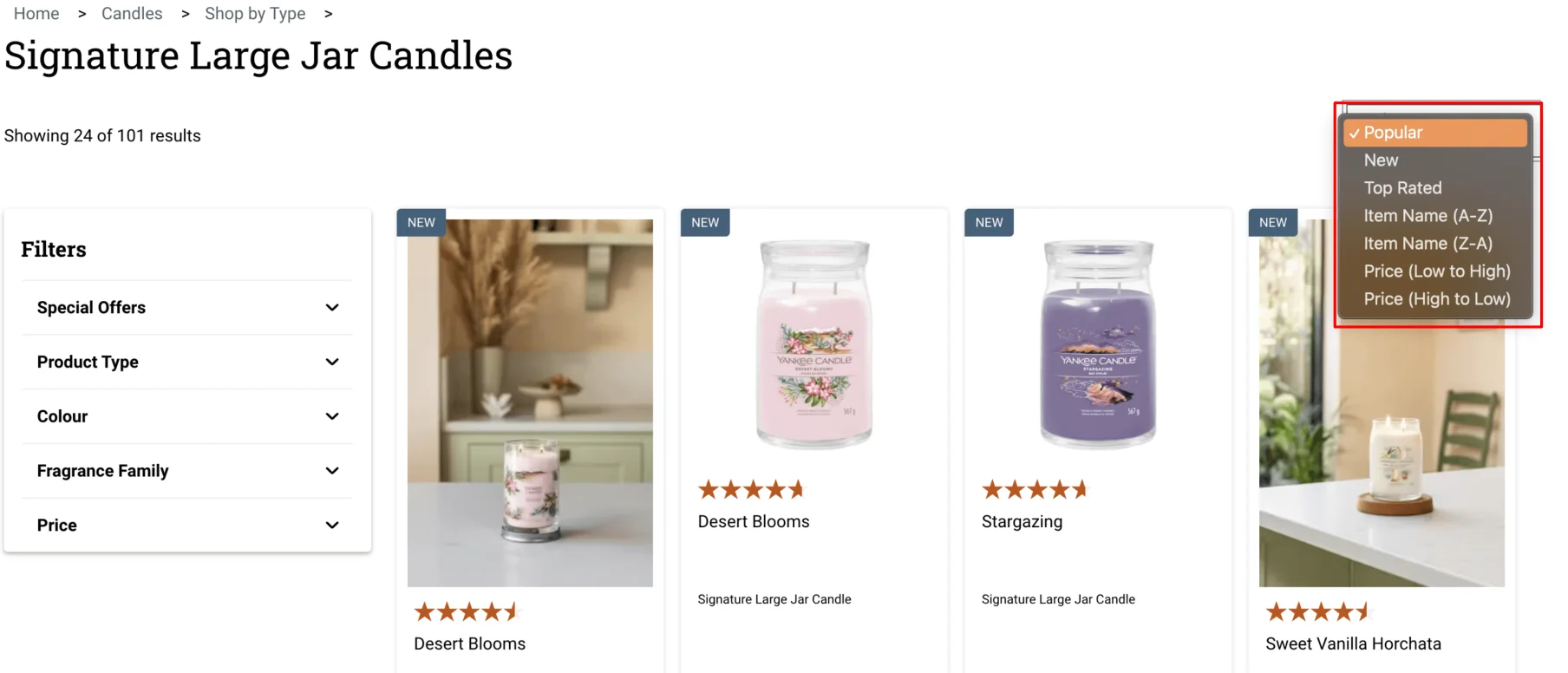
- Product Sorting – in addition to filtering, allow users to sort products based on factors like:
-
- Price – easily view products within their budget
- Relevance – which other products are most suitable for what they’re viewing
- Popularity – highlight the bestselling products
- New – which products have been added recently (i.e. new models or variants of products).
- Reviews – which products have the highest rating
- Providing Related Products – a great way to increase your average order value is to include related products within your product pages. This includes alternative variations of the same product that users are looking at, but also any additional products that can be used with or by it.
A common example of this is with fashion websites, For instance, on a product page for a jacket, you may include links to other items of clothing that users can buy to “complete the look” or “build an outfit”.
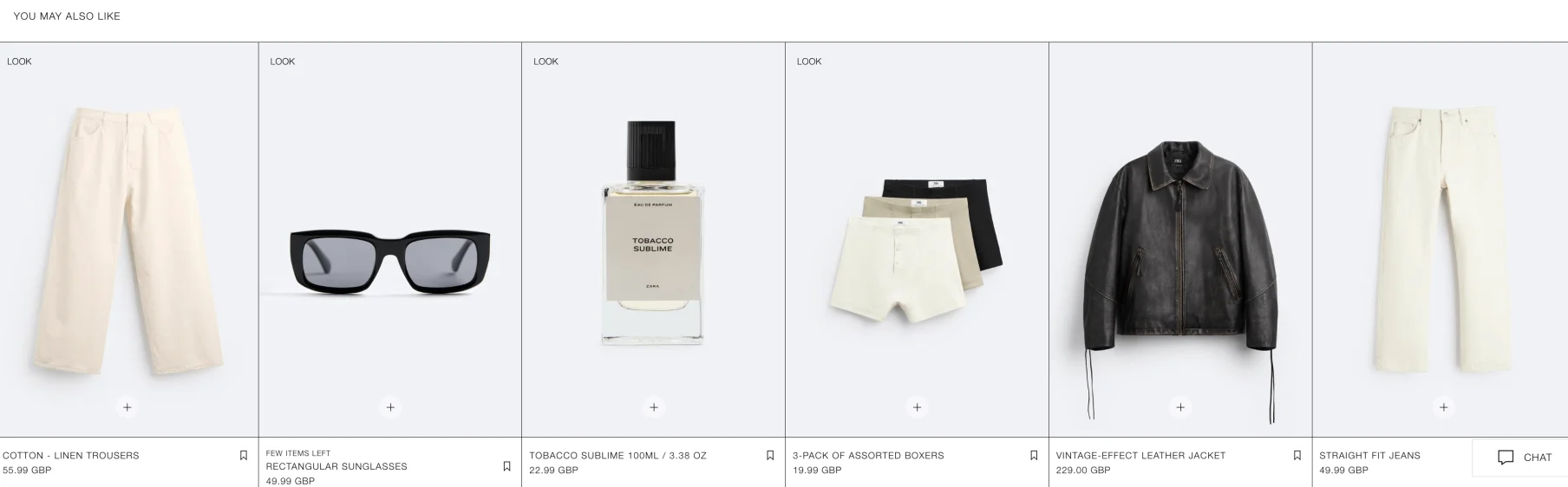
This feature keeps users browsing your product range and increases the chances of their order value increasing.
Implementing these simple but effective features within your eCommerce website can help provide a more enjoyable shopping experience for your customers.
Building Authority With Blogger Outreach
The final piece of the puzzle involved building domain and page authority by building backlinks through blogger outreach. This was especially important considering that the client had steep competition from authoritative websites like Amazon.
Our process was split into three main stages:
- Link Prospecting: sourcing topically relevant websites by looking at websites that our client’s competitors had backlinks from, but the client did not. We also used ChatGPT 4’s plugin functionality to identify relevant blogs and websites using WebPilot. All of the prospects were shortlisted based on certain criteria (i.e. estimated organic traffic, keywords ranked etc).
- Sourcing Contact Information: We sourced the contact information for these websites by identifying the email addresses of the writer or the prospective domain from the contact us page. In cases where this wasn’t possible, we used tools like Hunter.io.
- Creating a Pitch: manually creating an outreach pitch that is personalised to each prospect is time-consuming. We used the help of ChatGPT 4 to automatically generate a unique pitch with the following parameters:
- Create a short and engaging subject line for the email. Make sure it’s related to the perspective website.
- Write with an engaging and light-hearted tone.
- Make the focus on how they’ll benefit from the link.
- Write three unique topic titles that they haven’t already published on their site. Highlight why publishing this content adds value to their audience.
- The email should be no longer than 250 words.
We also monitored which pitches converted and yielded the best results in terms of response rates.








![How to Sell GEO: The Agency Playbook [Webinar]](https://susodigital.com/wp-content/uploads/2026/10/Webinar-How-to-Sell-GEO-The-Agency-Playbook-920x920.webp)