The Strategy
Capitalising on Brand & Product Mentions
Each brand or product mention online can expand your brand’s reach, making it more visible to potential customers. Capitalising on these mentions is also beneficial for improving a site’s backlink profile.
If you’ve received mentions online that don’t include a backlink to your website, that’s half of the success already. The next step is to acquire hyperlinks from those mentions to direct the traffic directly to your website.
Let’s analyse how you can find those opportunities to improve your backlink profile.
Google Alerts
A great place to start is by setting up Google Alerts.
- In the search bar, type the keywords or phrases you want to track. For example, you could enter “your company name,” “your product,” or a specific topic of interest/keyword.

Google Alerts allow you to choose the language, the source, region, and frequency in which you receive an alert.
Whenever your brand or chosen keyword is mentioned, you will be notified.
Ahrefs Content Explorer
Ahrefs Content Explorer is another useful tool for identifying product and brand mentions that already exist online.
- Input your brand’s name in quotation marks.
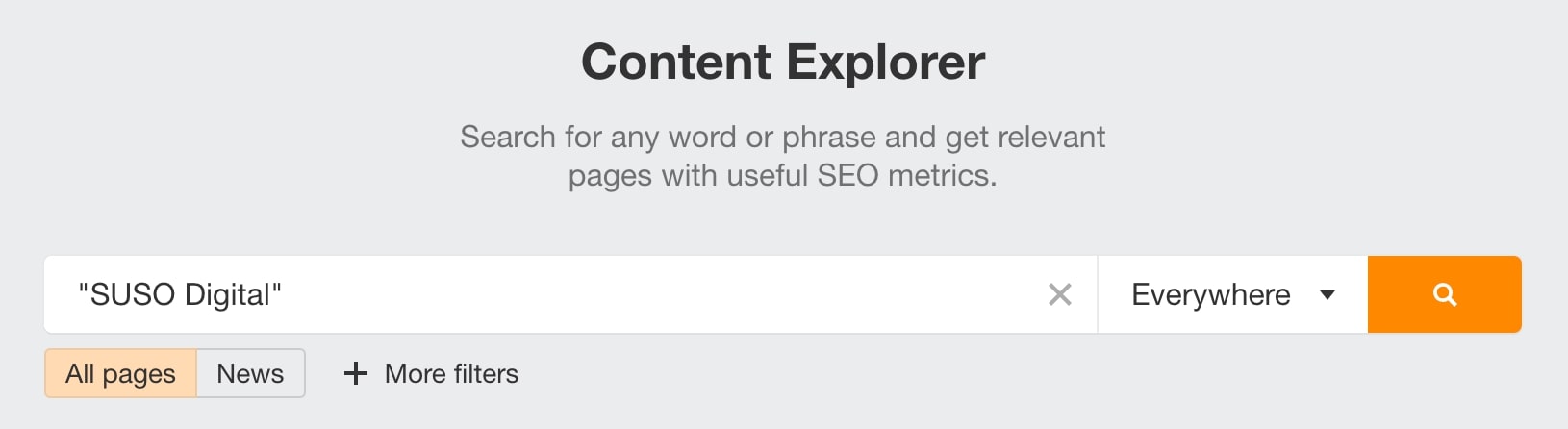
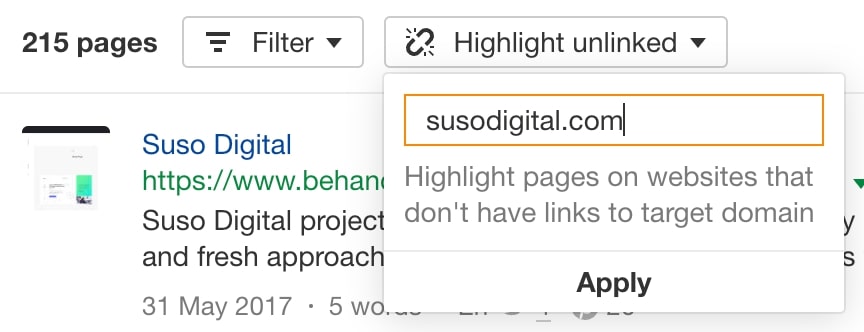
- Click “Highlight unlinked” to filter the results and see the mentions that don’t link to your website.
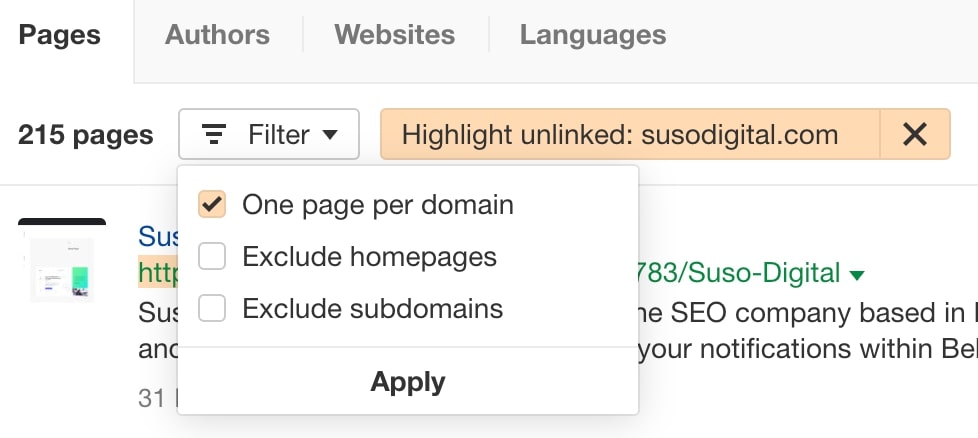
- Click “One page per domain” so the results don’t feature duplicates. This way, the list is more manageable.
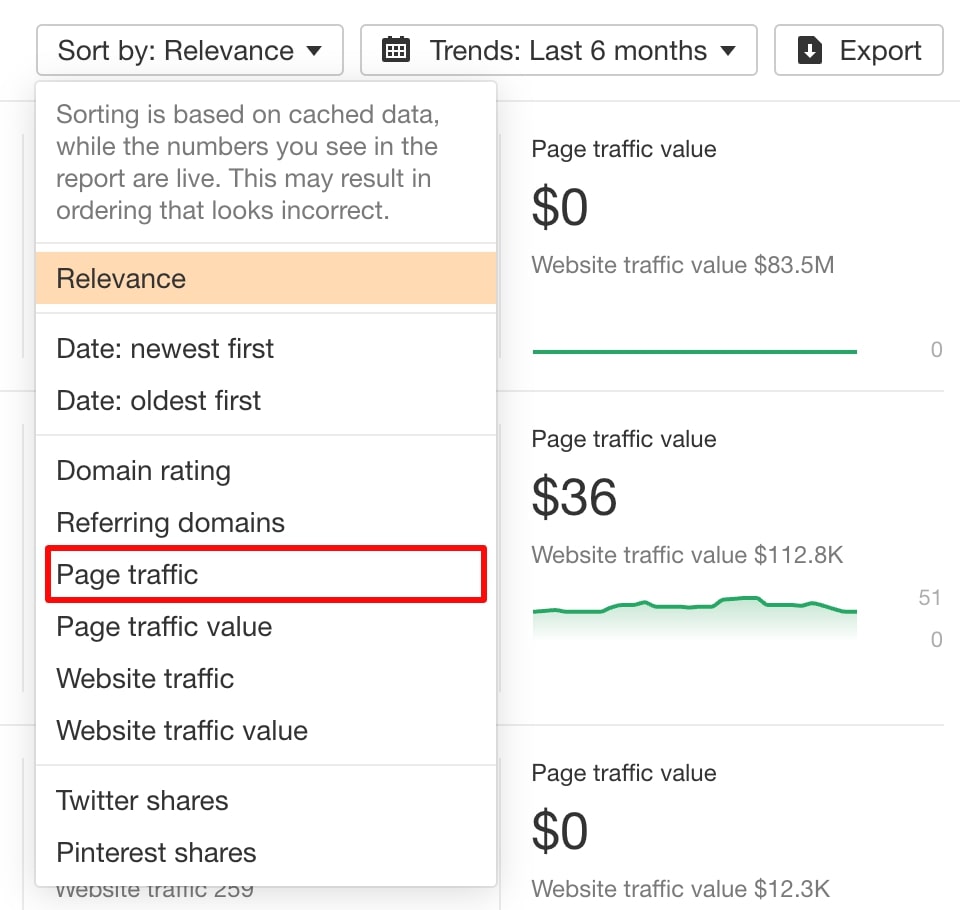
- You can also filter the results by page traffic, which we highly recommend as it makes it easier to identify pages that are already receiving traffic.
- There’s an option to export the results. Just remember to select the option for “Only pages with highlighted domains.”
How to determine which pages you should target?
The two factors that you should consider are:
- Domain Relevance – You have the highest rates of success when selecting websites within your niche or industry. Those sites are already expressing interest in what you may provide, and so they are the ones that are more likely to add a link back to your website.
- Context – It also matters if the mention takes place in a positive or negative context. It’ll make much more sense to target pages that introduce your brand or product in a positive light.
How to target those pages?
When reaching out to these domains, you can use several strategies.
- Repurposing Old Content – In your email, suggest repurposing the existing content that mentions your brand. Adding an infographic or video content can be a valuable way to increase engagement. In exchange for offering resources and your assistance in the process you could ask for a backlink.
| Subject: Quick Idea to Boost Your [Topic] Content
Hi [Contact Name],
My name is [Your Name] from [Your Company]. I came across your article on [Link to the article/page on their website] and thought it was really interesting!
I noticed you mentioned [Your Brand] in there, and I was wondering if you’d be open to giving it a little refresh. We’ve got some cool new [Resource, e.g., an infographic, a case study, etc.] on [Relevant topic] that could really spice things up.
We’re happy to share those with you and even lend a hand with the update if you’re interested. In return, we’d love a link back to [Your website/specific page] to show our appreciation.
Let me know what you think!
Best,
[Your Name] |
- Requesting Testimonials– Offer a testimonial for their product or service, requesting a link back to your website.
- Interactive Content – Develop interactive content, such as quizzes, or calculators, that are relevant to your niche. This type of content is attractive to other websites, which increases your likelihood of acquiring a backlink.
- Exclusive Content – Finally, you could offer exclusive content products, such as ebooks, white papers or case studies, in exchange for a link to your website.
These are just a few of the techniques that you can use to encourage the websites that mention your products or brand on their website in return for a backlink to your website.
Blog Conversion Optimisation
A high-ranking blog post that fails to drive conversions is like a beautiful cabriolet without the wheels. It feels good to have it, but it doesn’t take you to your destination.
Here’s how you can take a low-converting blog and turn it into a true conversion machine.
Optimising Internal Linking
What’s the purpose of having a blog on your website? While it serves as a great tool for improving brand awareness, providing essential information to visitors, and building a better backlink profile, among other things, it is also a tool for turning visitors into clients.
That takes place through strategically placed internal links that direct the traffic from blog posts into key money-making pages.
1. Pinpoint High-Potential Product Pages
When creating your internal linking strategy, prioritise linking to pages that bring you the biggest profit.
- To find your best-selling products, go to Google Analytics > Reports > Monetization > Ecommerce purchases.
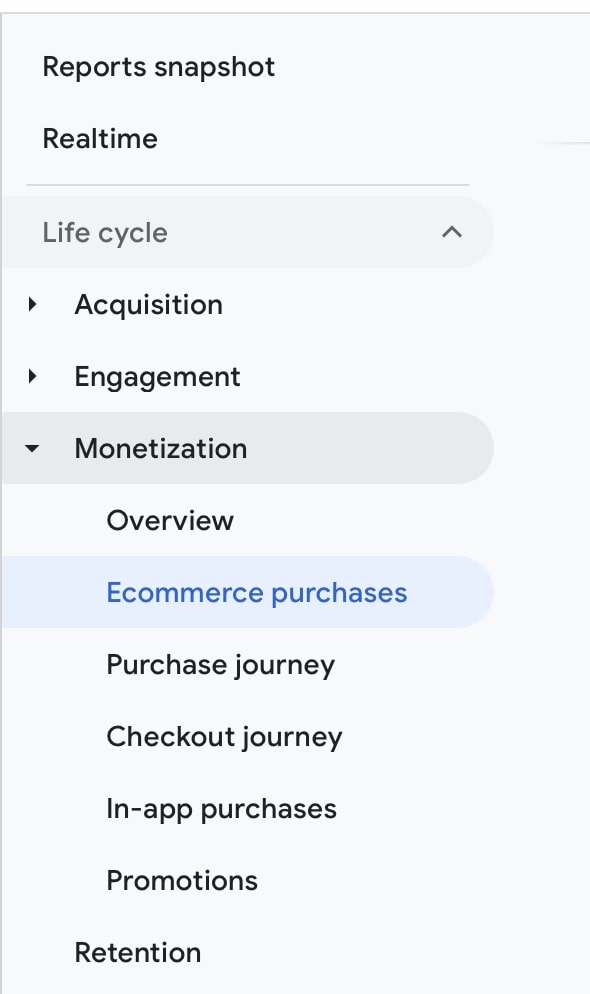
- The tool gives you an outlook on your best-performing products in the last week, 28 days, 30 days, 90 days, 12 months, and the last calendar year.
- Sort by “Items purchased” or “Item revenue” to identify your top-performing product pages.
For non-eCommerce websites, pick the pages that are most important to your business, i.e. service pages.
2. Place Links Strategically
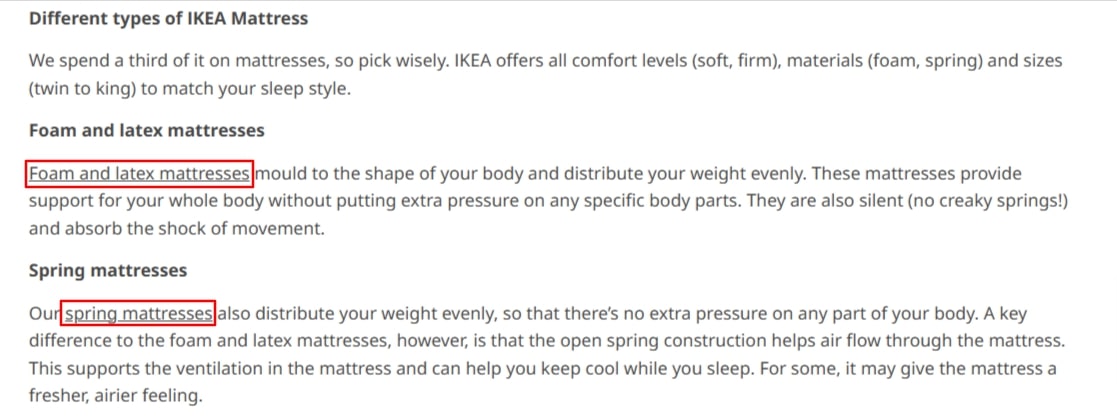
It’s not only important which pages you are linking to, but how you do it. The links should be relevant to the copy and flow naturally.
What we mean is that you should be using descriptive anchor texts and only link to a different page when it makes sense.
See how IKEA does it on their website:
3. Use Content Hubs or Topic Clusters
A strong internal linking strategy can and often does include content hubs.
A content hub is a collection of articles, often detailed, in-depth guides, that are created within the same topic.
By strategically linking the pages together, you are able to drive traffic to key product pages.
Integrate Product Widgets and Enhance Site Navigation
Product widgets are great enhancements to include in blog pieces. These small, interactive elements can be embedded into an article to improve user experience and drive conversions.
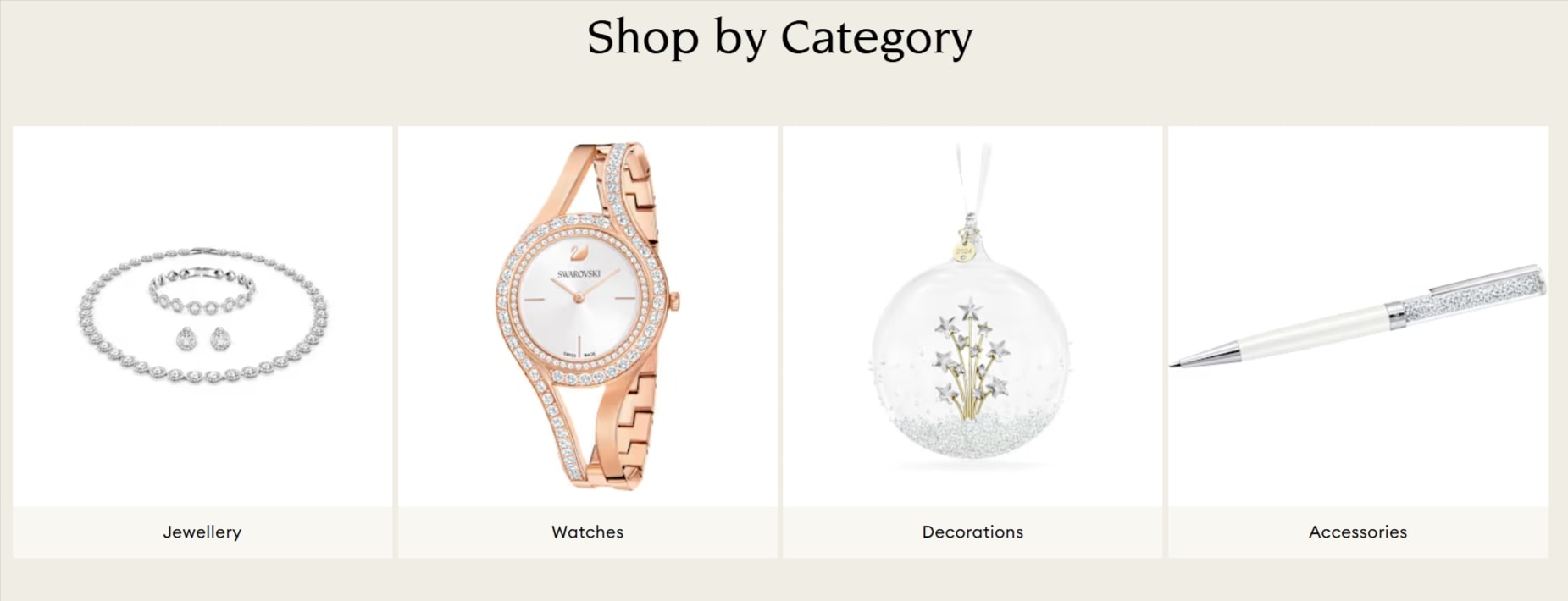
They typically display dynamic content, such as product information, reviews, recommendations, or pricing details.
How can you go about adding them to the blog pages?
Types of Widgets
There are various types of widgets, the most common ones being:
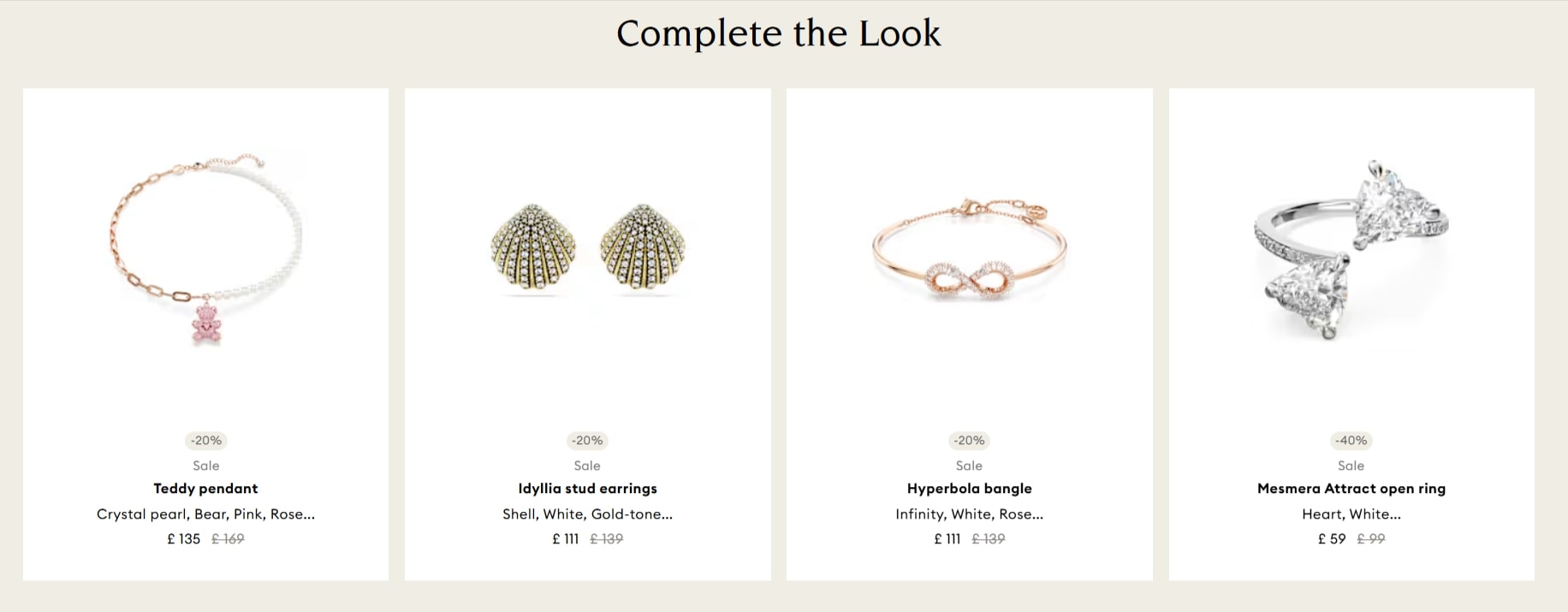
- Popular Products: Displays products that are frequently purchased or viewed by other customers.
- Recently Viewed Products: Shows products a customer has recently viewed on the website.
- New Arrivals: Highlights newly added products to the store.
- Special Discounts: Advertise products with current special offers or discounts.
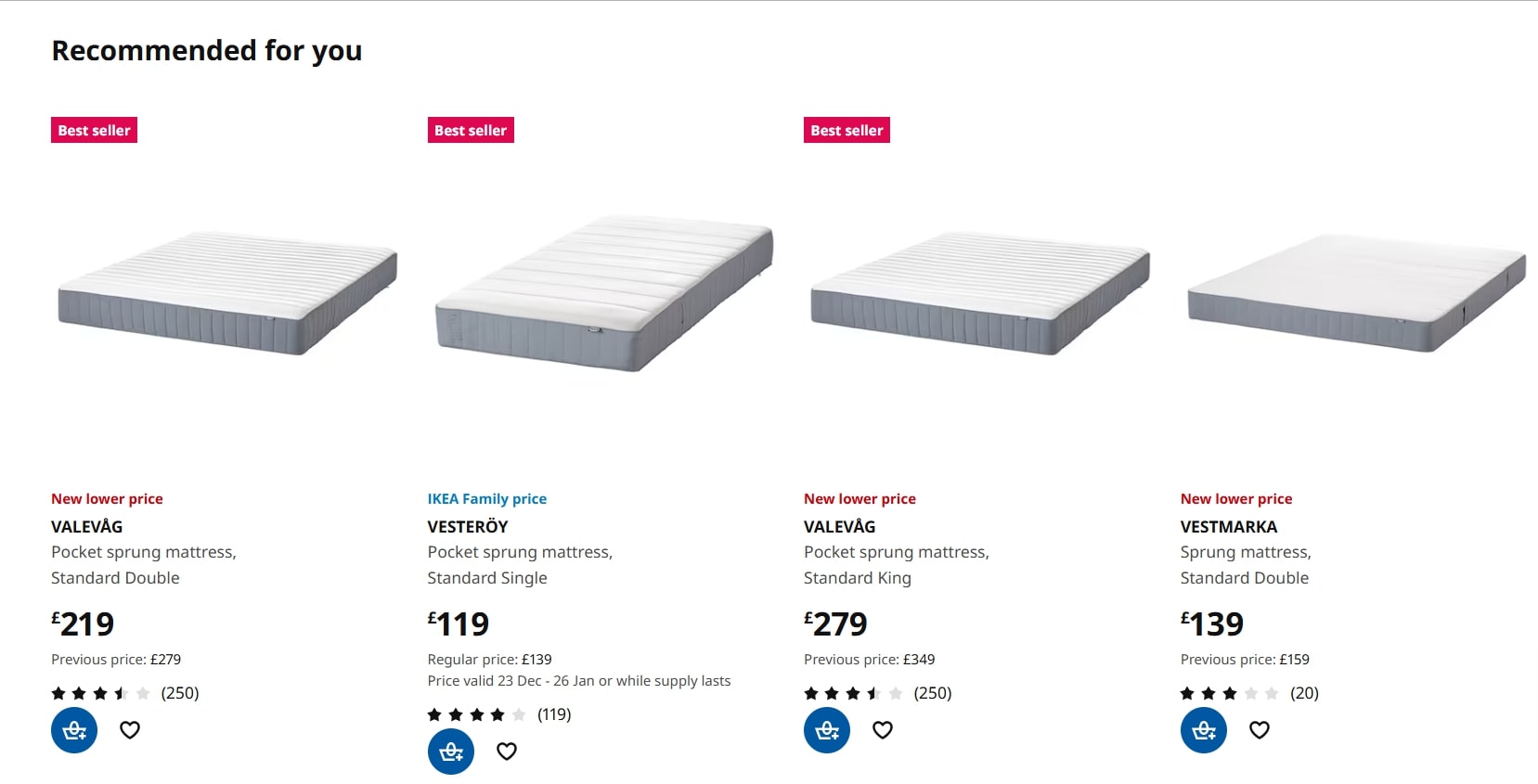
- People Also Buy: Suggests products frequently purchased together with the product a customer is currently viewing.
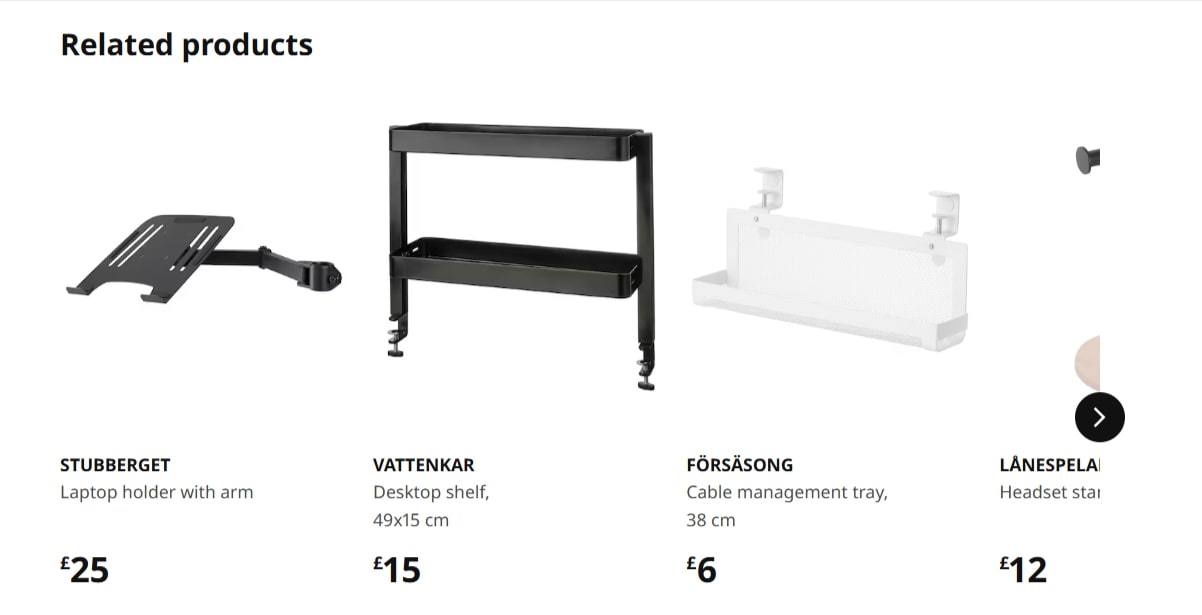
Widgets’ Placement
You have several opportunities to embed widgets on the website. They can appear:
- Within Content: Especially valuable if the content touches upon or goes in-depth into certain products.
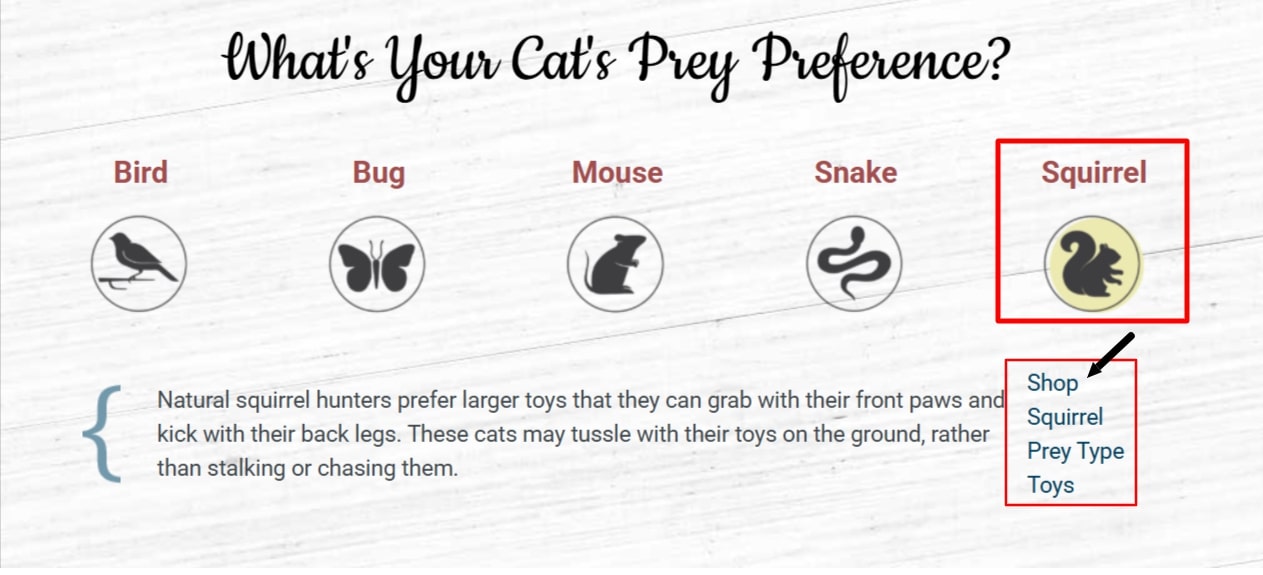
- On the Sidebar: Improves the visibility of the products/other articles while the visitor scrolls through the content.
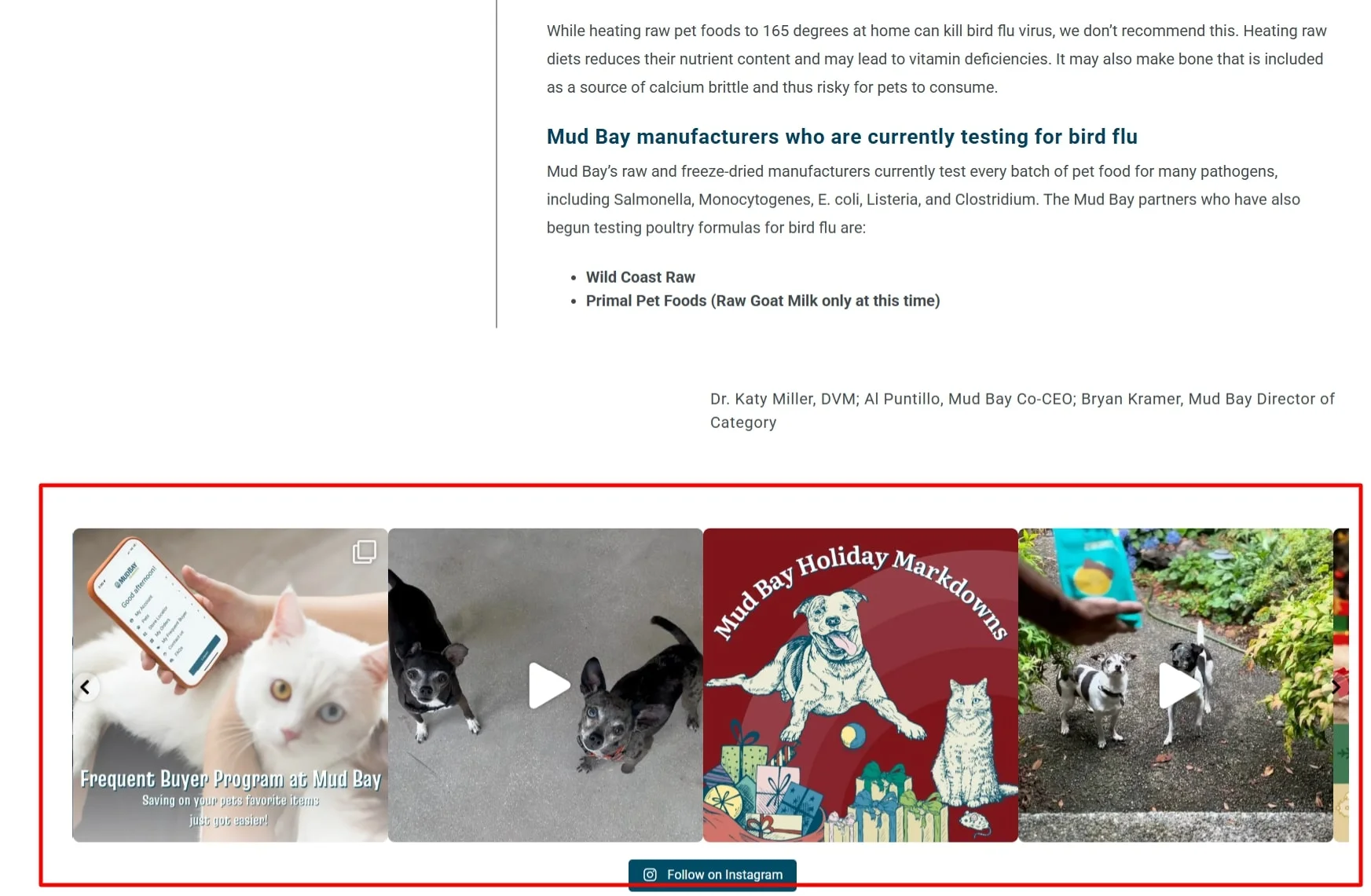
- Bottom of the Article: Widgets in the blog’s footer direct users to related products and content for further research or to move them forward in the purchase funnel.
Form & Function
We’ve discussed type and placement, so now let’s examine the forms and functions different widgets can perform.
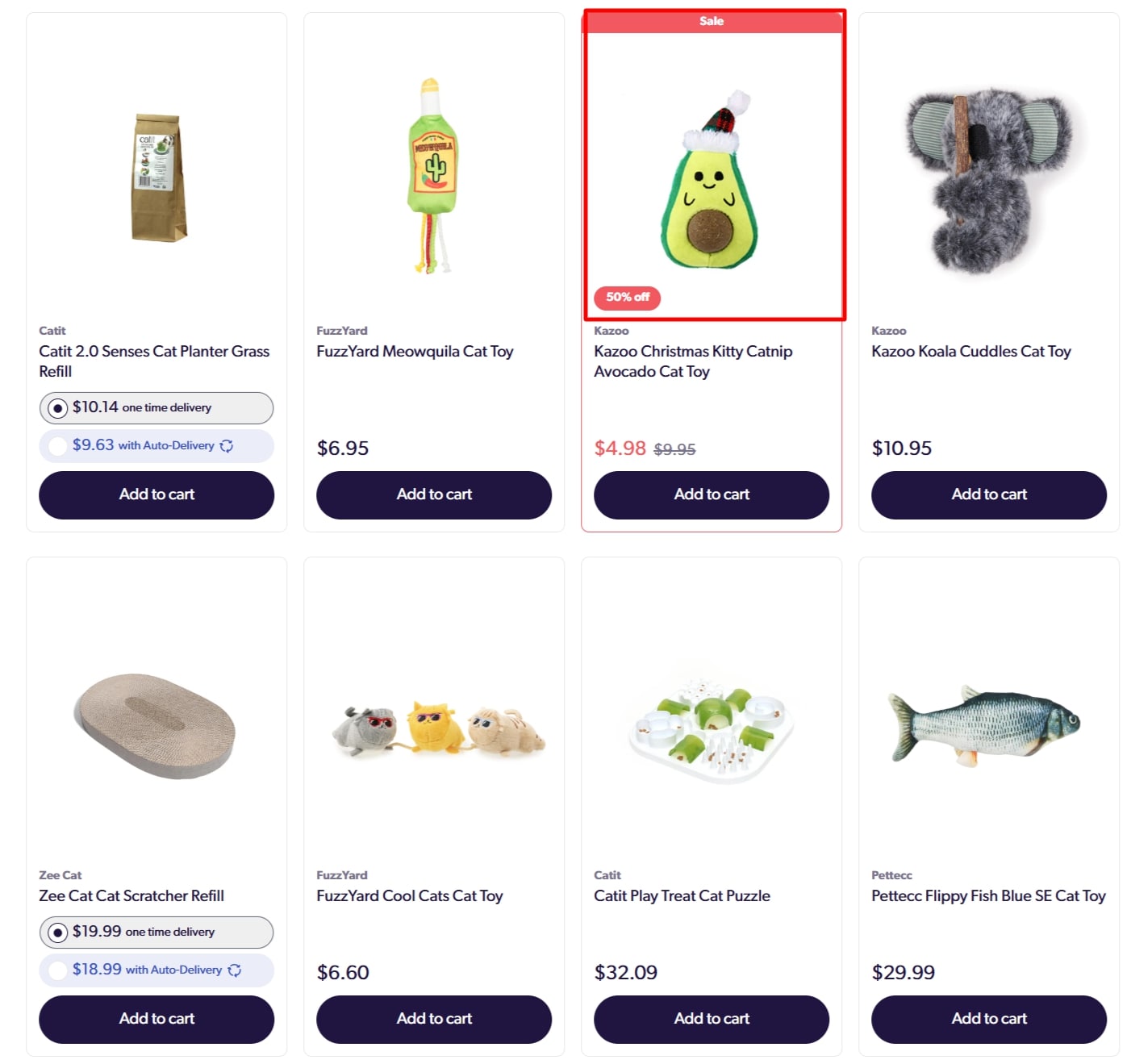
- Clickable Images: Images that, when clicked, lead to a product page, category page, or external website. They guide users to specific pages or sections of the website.
- Interactive Elements:
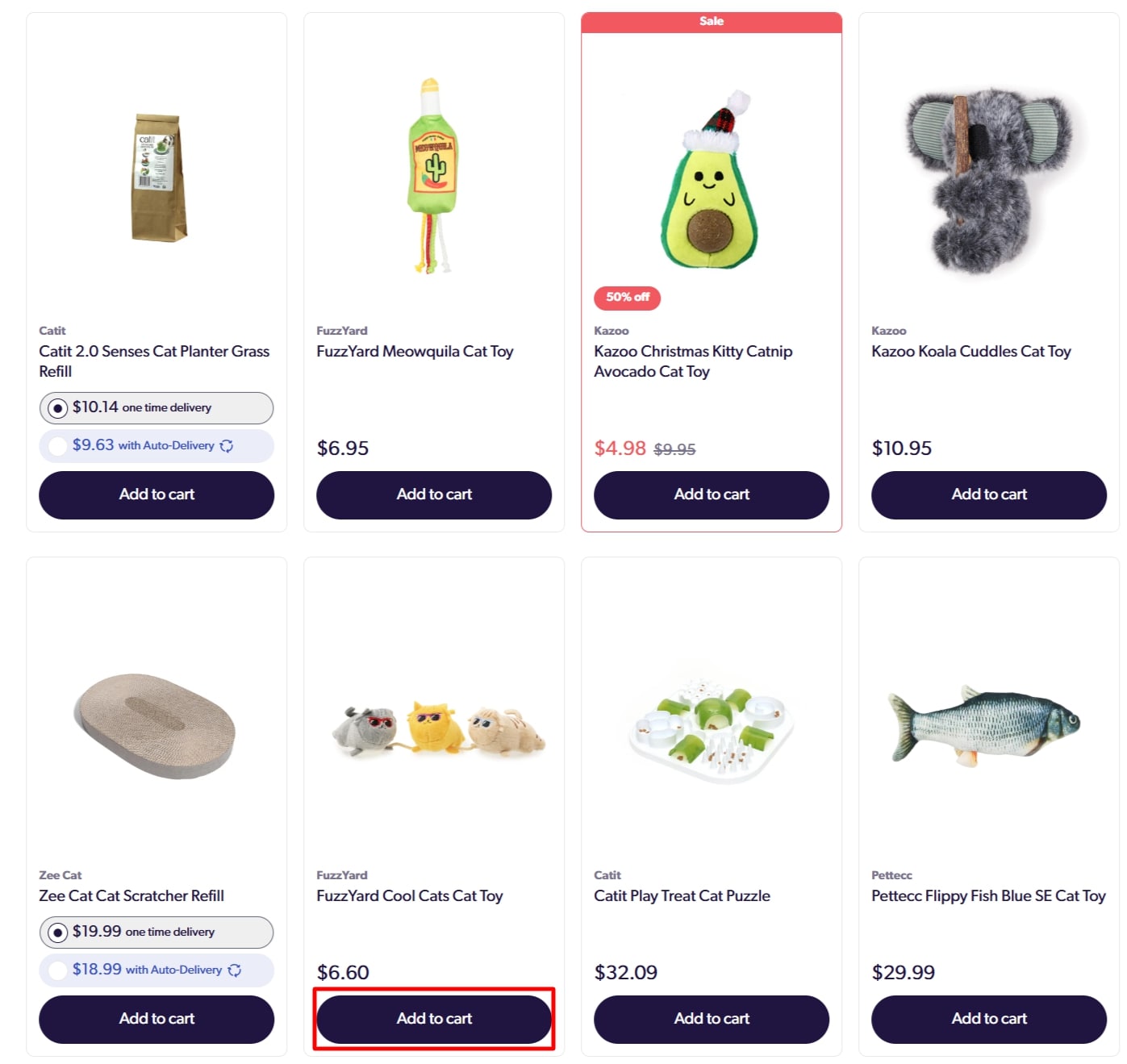
- Buttons: Simple clickable buttons for actions like “Add to Cart,” “Buy Now,” “Contact Us,” etc, which improve website usability and make interactions more intuitive.
How can you add widgets to your website?
Use plugins, such as Bloggle (if your shop was built on Shopify) or YITH WooCommerce Product and YITH WooCommerce Recently Viewed Products (if you use WooCommerce).
Add Similar Posts To Keep Visitors for Longer
A well-designed site makes it easy to discover the content your visitors are most interested in.
By including Related Posts under your articles and product pages, you ensure better navigability while giving you plenty of opportunities to strengthen internal linking.
Similar to any forest, the more advanced the root system, the stronger the growth. But how do we achieve that?
- Relevant Topics: Select the articles that are closely related to the page’s topic. In doing so, you’re closely matching the user’s intent, which is the most crucial component to the success of this strategy.
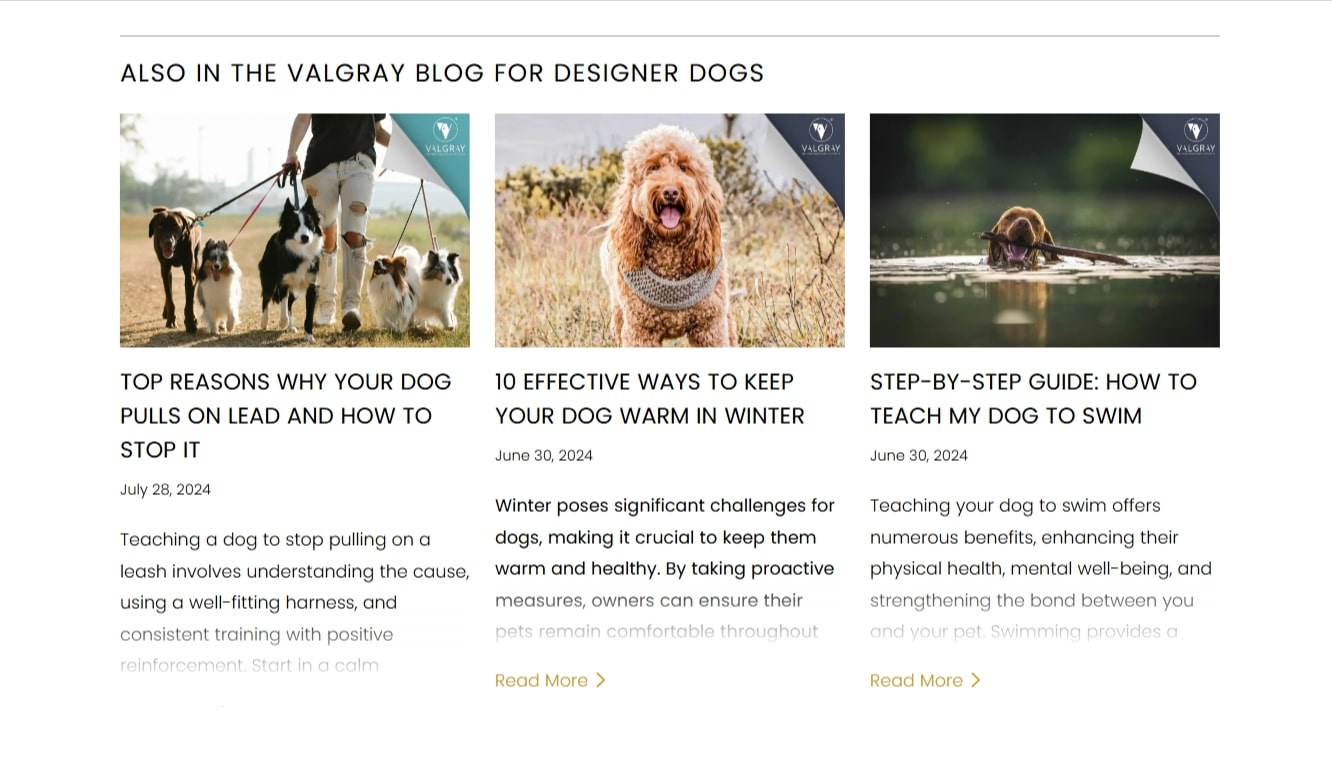
- Number of Related Posts: You should be mindful of the number of related articles you include. The golden standard is 3 to 5. Anything above that number is considered counterproductive and can confuse the reader about their next move. Not to mention, from an SEO perspective, too many internal links can negatively impact the individual value of each related article.
- Placement: Where to place Related Posts? The most natural way to include them is at the end of blog posts or category/product pages.
- Plugins: Fortunately, you don’t need to integrate Similar Posts by hand. If you’re using Shopify, explore the Related Blog Posts Pro plugin for relevant content suggestions. For WordPress users, the Contextual Related Posts plugin is a great option. This plugin intelligently suggests related posts by analysing your blog post’s title and content, making the process effortless.
Leveraging AI to Enhance Product Descriptions
Product descriptions provide essential information for the customer, acting as guideposts to a successful sale. You should always write well-optimised product descriptions for your website that compel the user to make a purchase.
But what if you have hundreds of (sometimes very similar) products? In that scenario, writing product descriptions can be both time and resource-intensive.
Leveraging AI tools for product description optimisation can be a valuable strategy to achieve great results. But before I show you how to use ChatGPT for this exact purpose, let’s briefly go over why original product descriptions are so important for SEO and user experience.
Why Unique Product Descriptions Matter?
- Boost Search Engine Rankings: Google prioritises original content. Unique descriptions help your pages rank higher in search results for relevant keywords, increasing organic traffic.
- Enhance User Experience: One holy rule in SEO is that content is for people first, algorithms second. Quality, well-written product descriptions make it easier for your clients to decide whether a purchase is worth it, improving the customer experience on your website.
- Increase Engagement: Engaging descriptions can pique interest and reassure those clients who are close to making a purchase, reducing bounce rates or encouraging visitors to explore more products on your site.
- Build Trust and Credibility: Finally, original, well-written descriptions build trust with potential customers by highlighting the unique value of the products, increasing sales.
How to Use AI to Write Unique Product Descriptions at Scale?
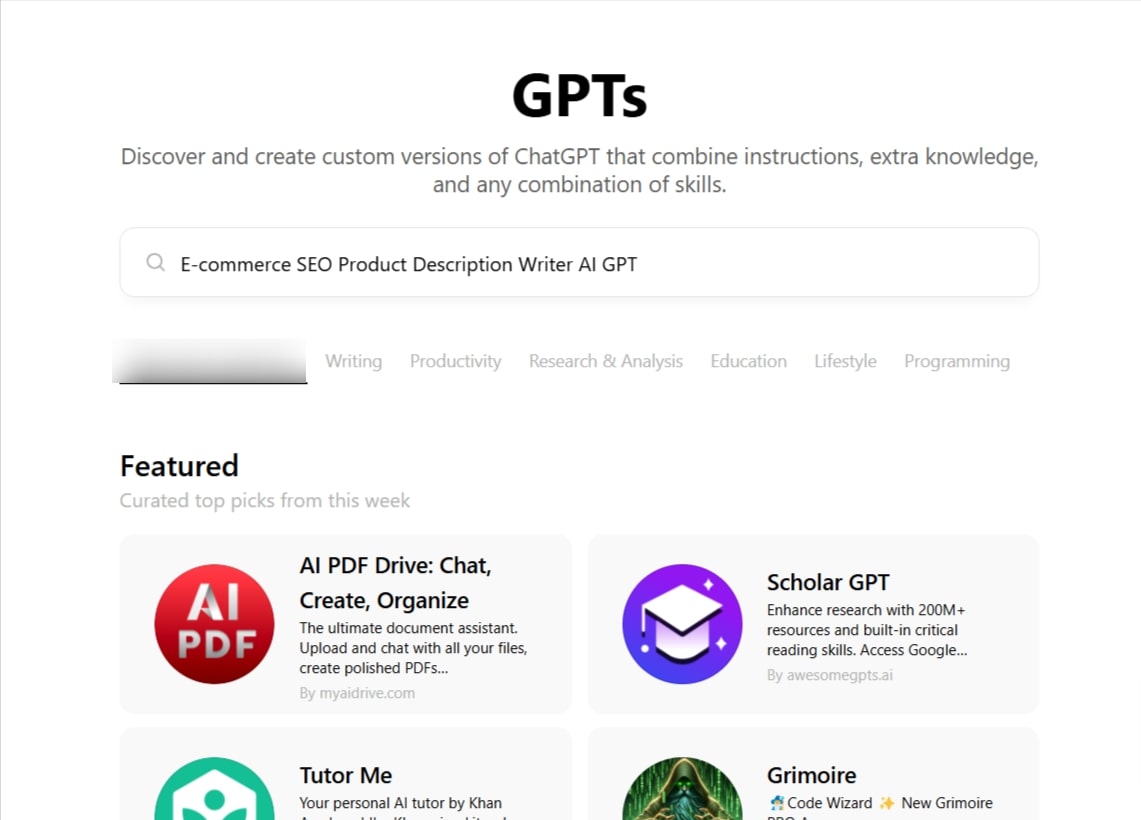
Writing hundreds of product descriptions by hand can be expensive and time-consuming. Here’s the good news. You can use AI to automate this process. I’ll show you how to do that with the help of E-commerce SEO Product Description Writer AI GPT.
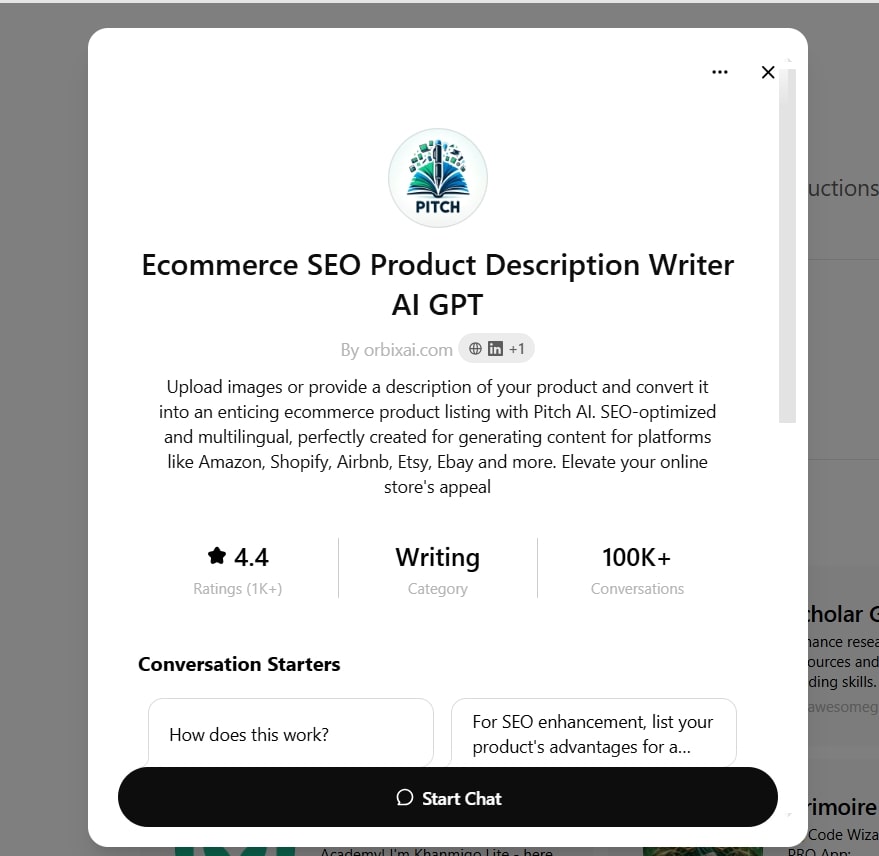
- Find a Product Description Writer on GPT.
- Start the Chat
- Upload the Images of the Product
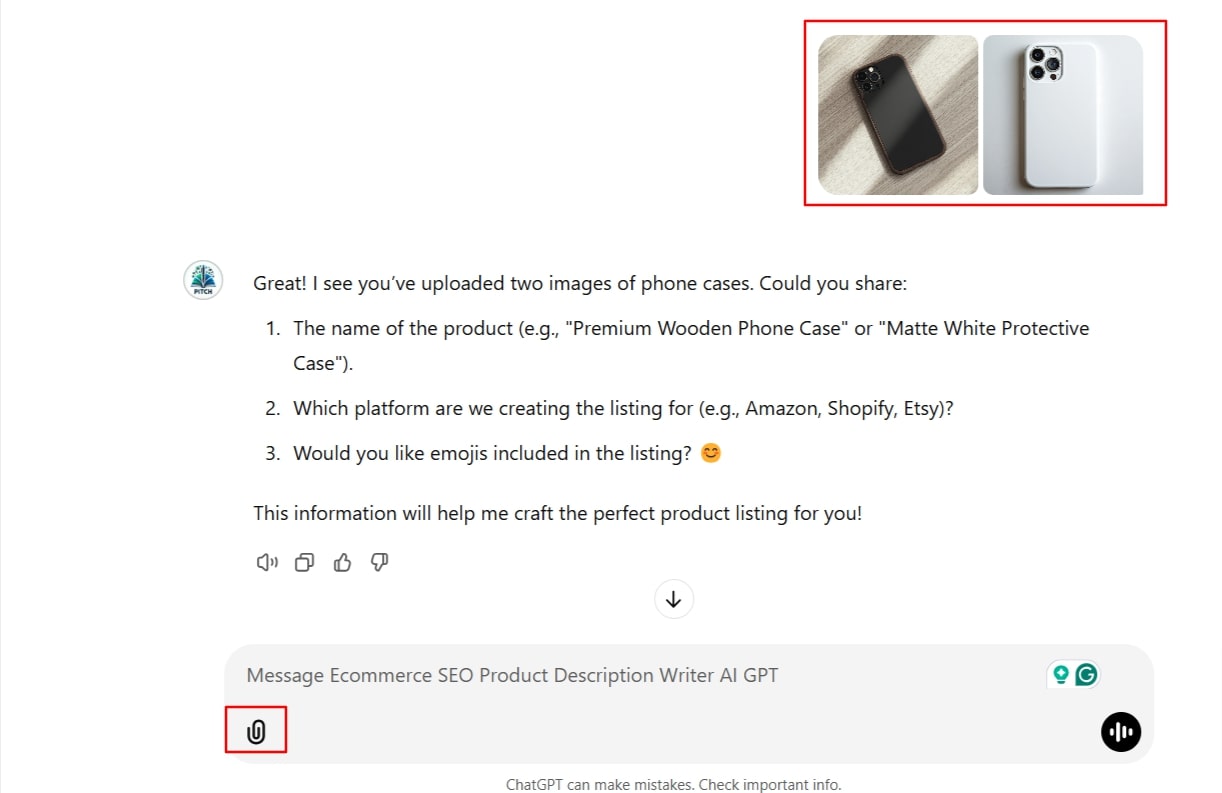
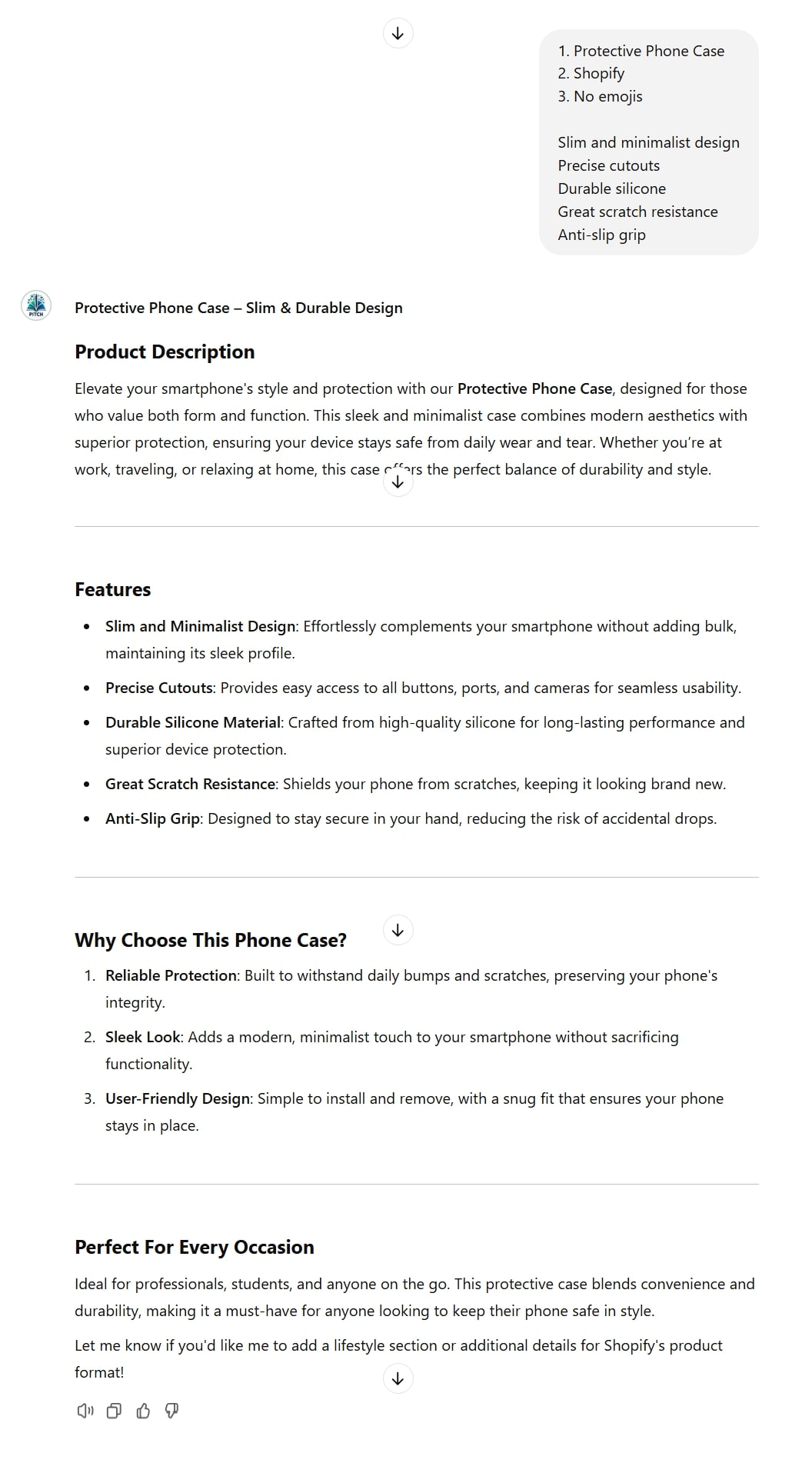
- Answer Chat’s Questions
Provide the Chat with some background information about the product like:
- Its name
- What platform you’re creating the listing for
- Whether emojis should be included in the description
In our example, it would be:
- Protective Phone Case
- Shopify
- No emojis
You may also enrich the description with additional information. For example:
- Slim and minimalist design
- Precise cutouts
- Durable silicone
- Great scratch resistance
- Anti-slip grip
Here’s the result:
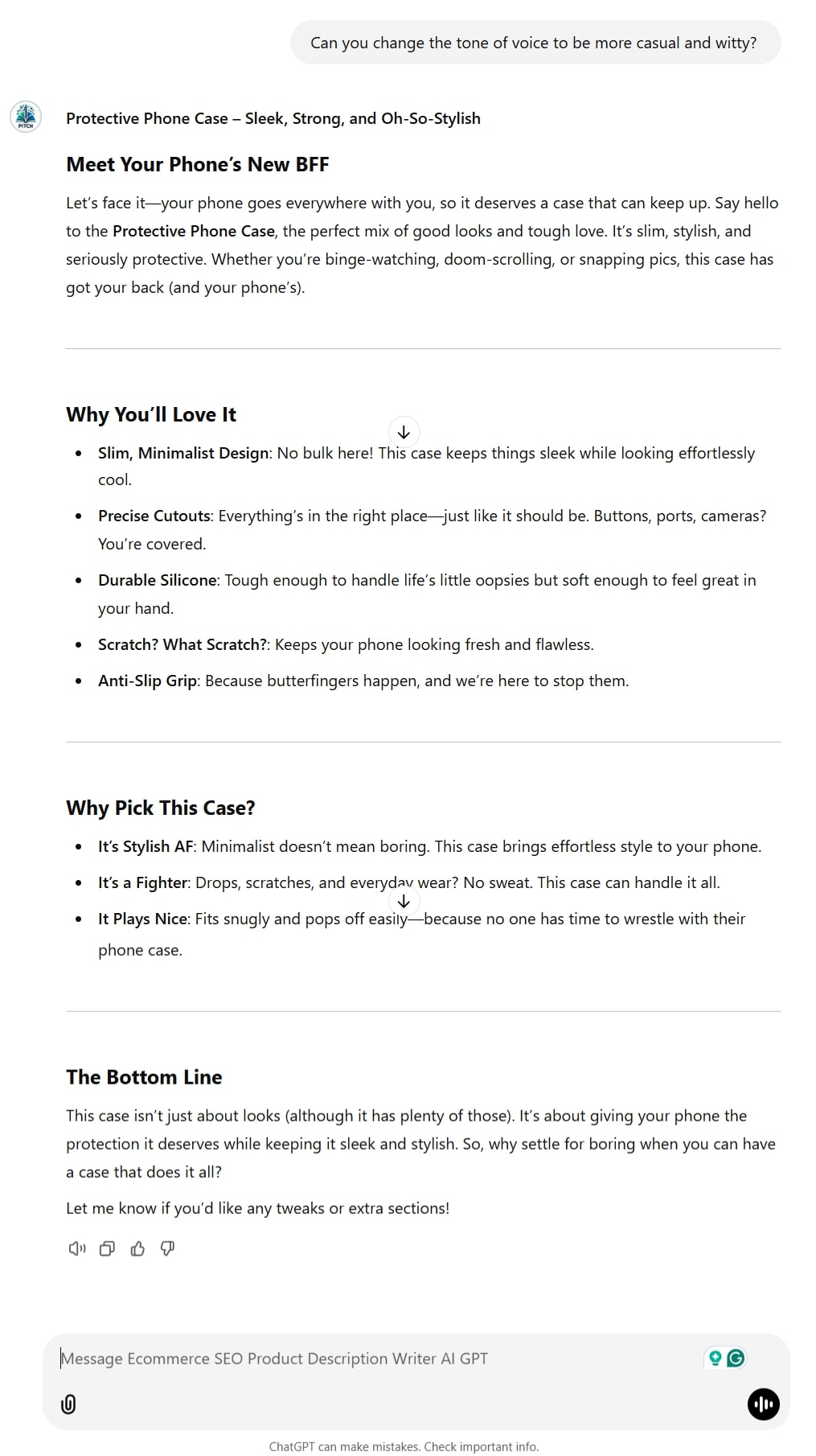
- Refine the Text
The last part of the process is editing and refining. Use prompts to tweak some parts of the text or change the tone of voice of the whole piece.
For example:
Here are some extra factors to consider when creating product descriptions
Keep the Target Audience in Mind
You always need to talk to your target audience.
Optimising product descriptions makes sense when you know who they are, what they know, and what they care about.
Remember – different levels of expertise and budgets require individual approaches.
Consider Buyer Awareness When Determining Content Length
Product descriptions should vary in length depending on the customer’s knowledge.
- High Buyer Awareness: Consumers who are already familiar with the product need short and specific descriptions that touch upon its specifications.
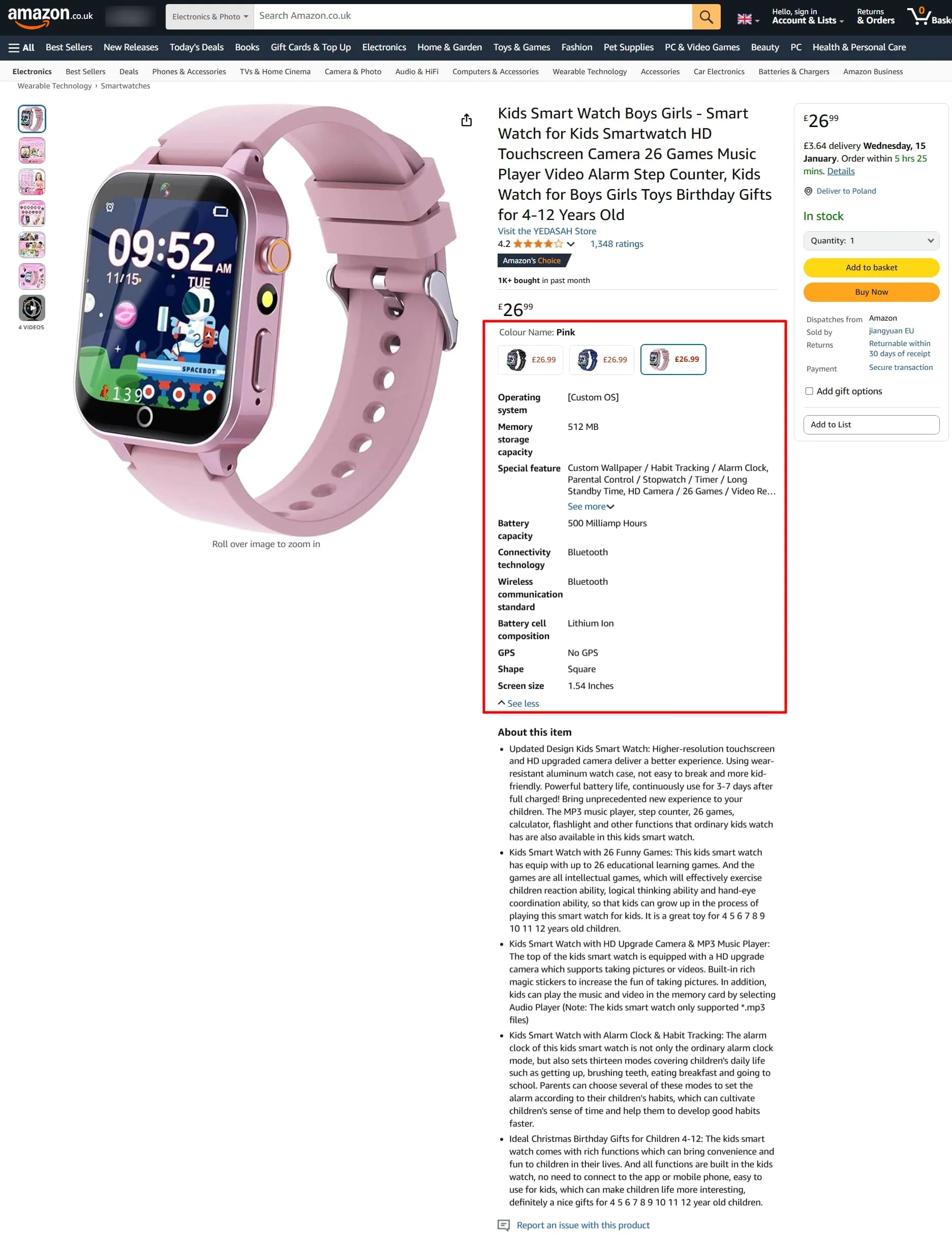
- Low Buyer Awareness: Clients who know less about the product and require longer, more detail-oriented descriptions to make their decisions.
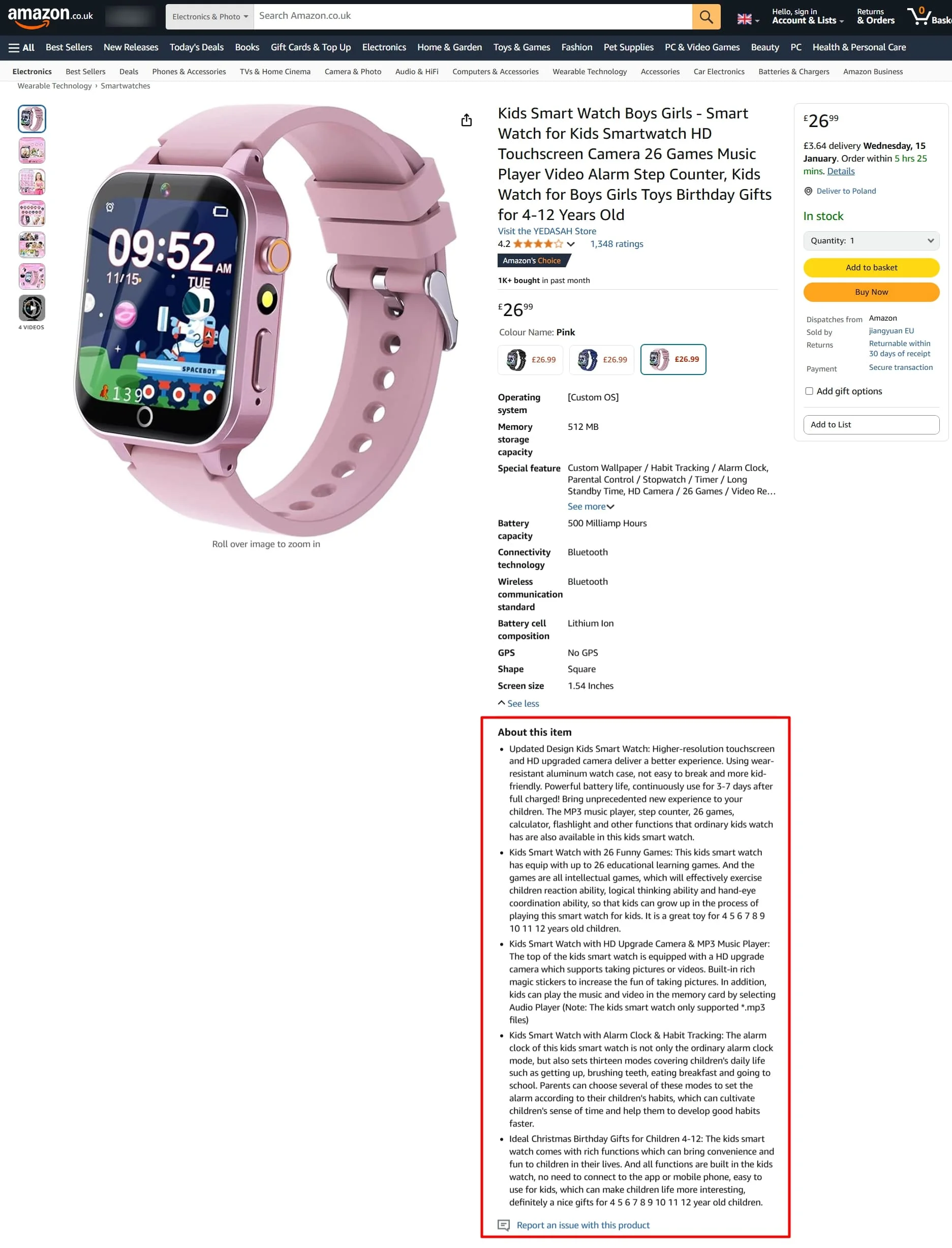
- Both Approaches: A good compromise that includes both a short and a longer description, as shown in the examples above.
Highlight the Main Features
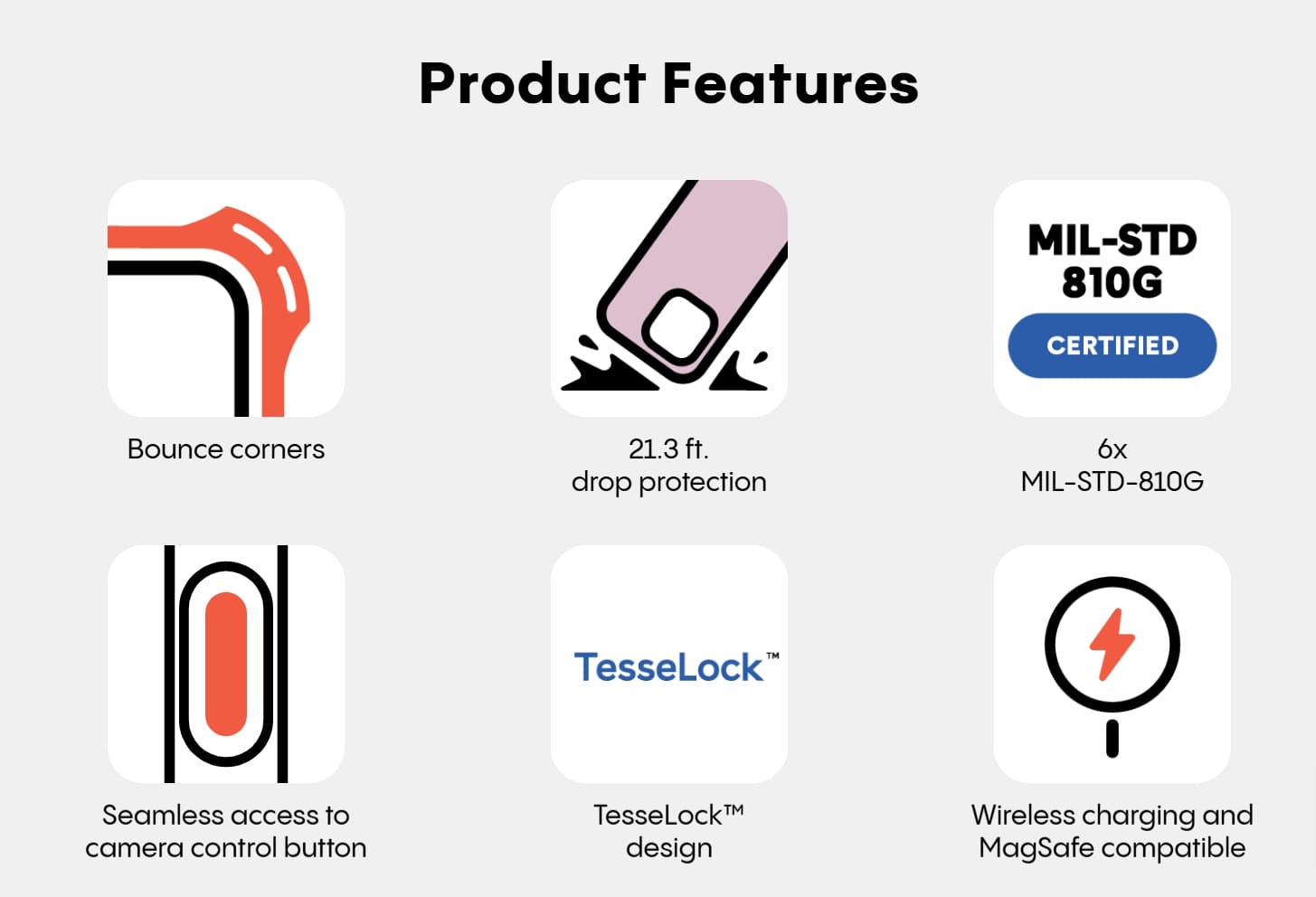
Highlighting the biggest selling points of your product helps to make it a visually distinctive element of your descriptions, as seen below:
Include Specifications
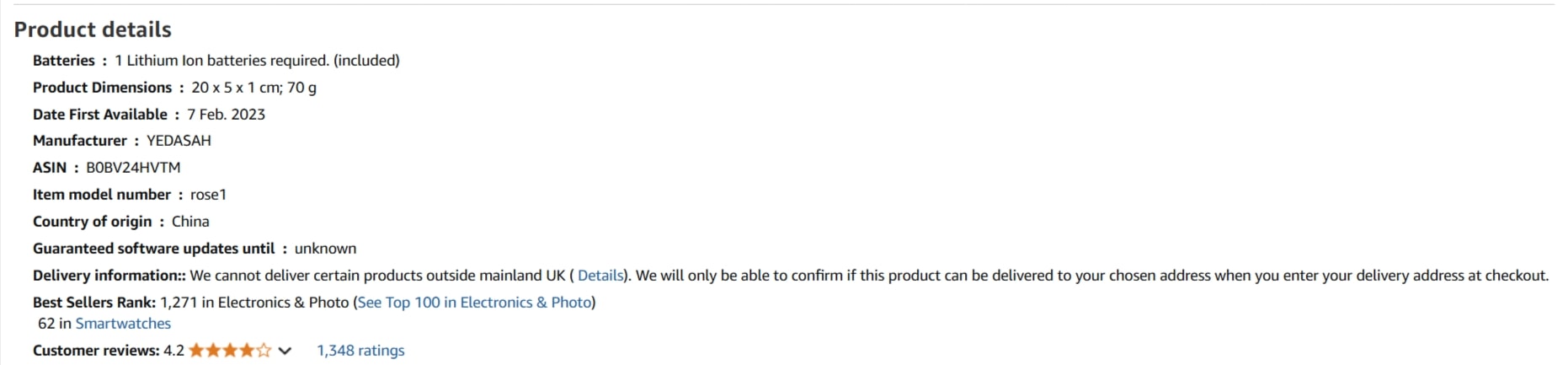
Where appropriate, include specifications about your products (i.e. dimensions or colour options), as these are the key pieces of information your clients will want to have:
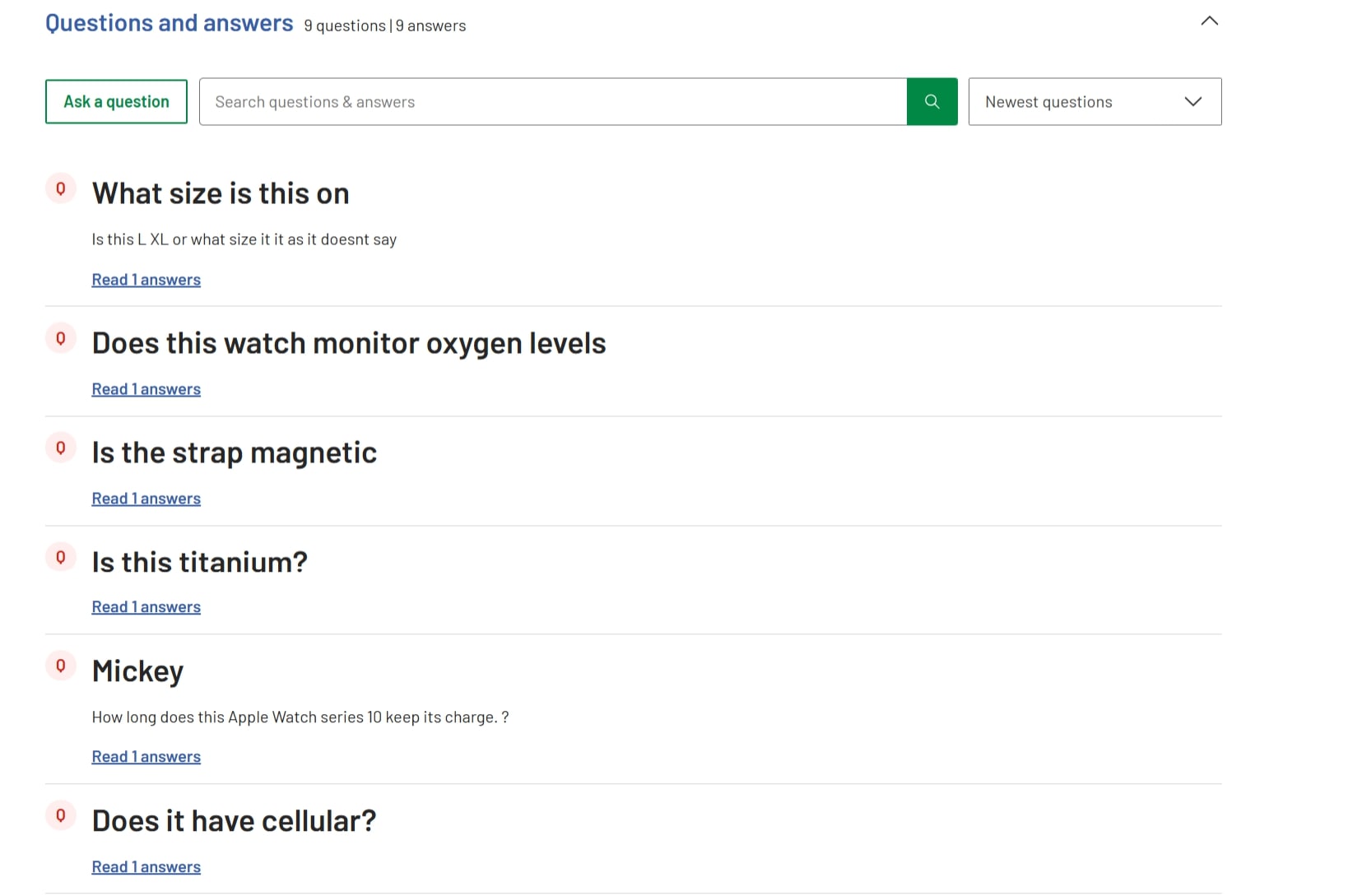
Add FAQs
Address common questions and doubts in the How to/FAQs section.
Use Headings and Formatting
Utilise headings (H1, H2, H3, etc.) and formatting to create a logical flow and hierarchy within your content.
Consider the Content’s Structure
Your text should be easily understood.
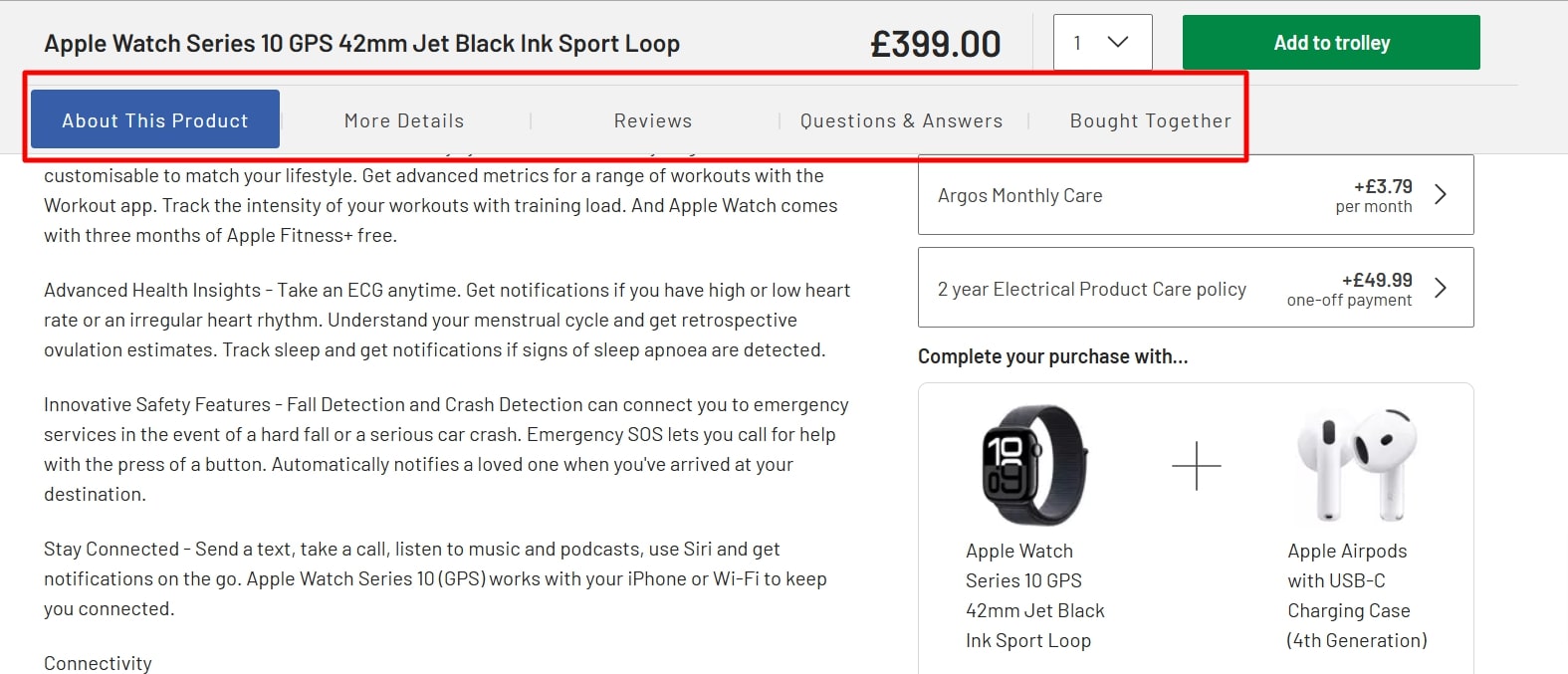
Pay attention to how you structure it on the website. Implement tabs to organise product information into distinct sections (e.g., “Description,” “Specifications,” “Reviews”).
Add Visuals
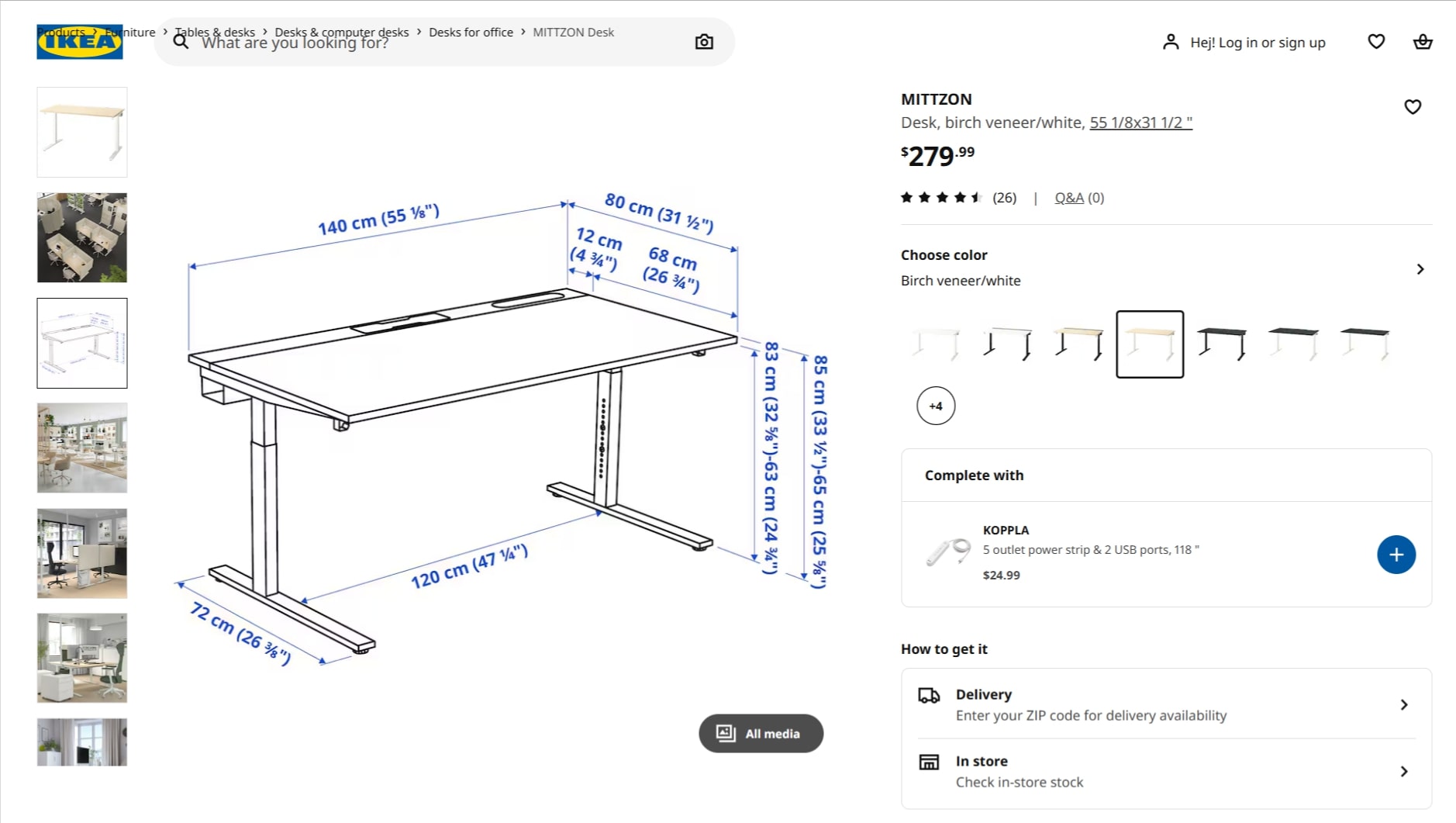
Make sure your products are more tangible for your customers with good-quality images. You can use them as a visual aid to better understand the product’s dimensions, as we see here:
With these tested techniques, you can improve navigation, readability and bounce rates on your key money and product pages.








![How to Sell GEO: The Agency Playbook [Webinar]](https://susodigital.com/wp-content/uploads/2026/10/Webinar-How-to-Sell-GEO-The-Agency-Playbook-920x920.webp)